Posted on Leave a comment

A Guide to Understanding CMOS Em Dash Rules & Signs of AI Writing

Scrabble letters mixed up on the table with "AI" on the shelf.
A writer sits in front of a computer taking notes by hand

Considered one of the telltale signs of AI writing, Em dashes are hotly debated. Make your human writing stand out by following these simple Em dash rules.

There’s a dialogue right now in many writer communities surrounding em dashes. Ah, these poor misunderstood punctuation, favorited by writers so much that The Chicago Manual of Style (CMOS) has an entire section of em dash rules (6.91 to 6.100), laying out how and when and why they should be used. But my experience with reading real human writing, in the real world, is that writers evoke the em dash wherever they like, which might sometimes seem random, but at best, is inconsistent. 

Knowing how to correctly use an em dash in a sentence may not be something to add to your resume, but in this age of questions about authenticity and AI-generated writing, an understanding of how to use the em dash correctly will help strengthen your prose and establish your voice and authenticity.

The Current Problem With Em Dashes, AI, and Human Writing

Artificial Intelligence (AI) Language Learning Models (LLMs) are commonly used by many writers (at all levels in the industry) to generate ideas, compose text, edit, and more. Because LLMs have been trained from samples of existing text—online, from books, from marketing copy, and from a variety of other sources—and because there are different em dash rules in different style guides and a plethora of inconsistent existing text, LLM writing shows a tendency to overuse the em dash. 

Because AI-generated writing can only approximate what it thinks human writing looks like, and LLMs don’t understand nuance nor context well, em dashes have been dubbed one of the clear-cut, telltale signs of AI writing and are undergoing an increased level of scrutiny across all writing-based industries (book and journal publishing, journalism, and more).

This high use of em dashes in AI writing is now causing backlash among real writers who compose their text themselves using em dashes (sometimes according to the style rules, sometimes not). Those real writers’ text is being flagged by AI-detection software as AI-written, even when it isn’t! 

First: When and How to Use an Em Dash in a Sentence

Setting aside all the problems with AI-detection software and its evaluations of human writing (the short version: They are inconsistent and inaccurate, at best), the bottom line is that many writers are left with conflicting information about how and when to use em dashes, and these writers are becoming wary of them, understandably wanting to avoid being flagged as AI. 

Additionally, there are also writers who use AI to generate or edit some of their text, who don’t understand why editors remove or correct em dashes to other punctuation. Online, I’m seeing increasing discussion from editors about pushback from writers who use AI. Responses along the lines of “Well, I put it through ChatGPT, and it said…” 

Scrabble letters mixed up on the table with "AI" on the shelf.
Photo by Markus Winkler, Pexels.

Man, that is causing frustration for a lot of trained editors who understand em dash rules, in addition to confusion for a lot of writers who are seeking answers but aren’t finding clear, consistent solutions.

So, let’s clear up some of these misunderstandings! 

There are times and places where em dashes are appropriate or make the most sense as your punctuation of choice. Let’s look at some of the most common uses. Understanding how to use the em dash (but really, all punctuation) properly will give you insight into how to wield it as a tool to better connect with readers and keep the question of AI use entirely out of the comments section (and reviews) of your book. (No signs of AI writing here!) 

Got questions about how to use semicolons? Check out my previous blog,
“Two Common (and Easy-to-Use) Semicolon Rules.”

An Overview of CMOS Em Dash Rules

Em Dash Use #1: To Amplify, Explain, or Expand

Perhaps the most common use of em dashes is to amplify or explain an idea. While commas are also common and appropriate, if you want to place emphasis on the phrase or strengthen an idea, use an em dash in a sentence instead. 

She cautiously tread along the cliffside—the same cliffside responsible for twenty-three deaths the year prior.

In a sentence interjection that typically requires two commas, instead, use a pair of em dashes to emphasize the interjected phrase or clause. However, CMOS em dash rules state that you should be consistent, and whichever punctuation you choose, use them as a pair; do not mix a comma with an em dash here. 

I heard my name called out from the crowd, despite wearing my best disguise, and felt my stomach drop.

or

I heard my name called out from the crowd—despite wearing my best disguise—and felt my stomach drop. 

These same uses apply to parentheses as well. As seen below, where parentheses could be used to set off a phrase or clause without emphasis, you can also use em dashes if you want to amplify or clarify your idea. (Commas here would be a bit confusing because of the list, so one of these alternate punctuation choices is recommended). 

My three cats (Mosley, Tabitha, and Kibble) are my greatest source of happiness. 

or

My three cats—Mosley, Tabitha, and Kibble—are my greatest source of happiness. 

Em Dash Use #2: Amplifying a Noun With a Pronoun

In some em dash rules, only one dash is necessary. This is frequently seen with an introductory noun (or series of them) followed by a clarifying idea or pronoun. This may sound confusing, but I promise, it is less complicated (and more common) than it seems. 

A sword—the greatest weapon he could wield in his quest to defeat the dragon. 

A game board, a pair of dice, and a couple figurines—all that was needed for them to build their dream campaign. 

As you can see, the dash is once again used to expand on a previously established idea. This is especially effective in suddenly introducing a prominent idea (or ideas) to readers before explaining its significance. One of the signs of AI writing is that AI overuses this type of sentence structure and em dash, so consider saving this trick for moments where it produces the greatest impact. 

Em Dash Use #3: For an Example or Pause with Emphasis

Another popular use for an em dash in a sentence is to introduce an example or alternative phrase that emphasizes or renames an idea after a pause. This is frequently combined with expressions such as that is or namely

He felt great about his outfit—that is, until someone pointed out the stain on his shirt. 

She always had an extreme fear of dogs—namely, German Shepherds.

Em Dash Use #4: In Dialogue, When a Speaker Is Interrupted

In a scene with dialogue, when a speaker’s dialogue is interrupted either by their own action or by another speaker, use an em dash or a pair.

She began, “I said to her—”

“I don’t care what you said!” he yelled. 

or

“I said to her”—she flapped her hand at the girl—“I didn’t want to hear her complaint.”

Note in the first example (where the speaker is interrupted by someone else), the dash is contained within the quote mark for the interrupted dialogue; however, in the second example (where the speaker interrupts their own dialogue with an action), the em dashes appear outside the quotation marks, without spacing or other punctuation. 

Looking for more tips for writing dialogue? Check out my previous blog,
“How to Write Authentic Character Voice in Dialogue.”

Some Em Dash Don’ts

Humorous wanted posted depicting the punctuation "em dash" as wanted dead or alive for $1 million.
Image from Kramar, “Who gives a f___ about an em dash?”, The Chronicle, Dec. 15, 2025.

Knowing the em dash rules for what to do also means you want to be familiar with what not to do. Online and in book editing, I’m seeing em dashes used because both human writing and AI-generated text confuse some other common punctuation and formatting uses. 

1. Em dashes are not meant to substitute for all instances of commas. For example, use commas in a list instead of Em dashes. 

Incorrect: He went to the store to pick up cheese—eggs—milk—and bread.

Correct: He went to the store to pick up cheese, eggs, milk, and bread. 

2. When it comes to dialogue, DON’T use a dash to indicate a pause or emphasis, which is very common in fiction writing. 

“But—I love you,” she stammered. “And nothing will—ever—come between us.” 

3. To indicate trailing dialogue or a pause in the speaker’s delivery, use an ellipsis. (You know, the three periods: …) 

To emphasize wording, use italics. CMOS prefers using italics for emphasis sparingly, so limit italics to one or two words at a time, not full phrases or sentences. General advice also suggests not adding italics to the end of a sentence or paragraph, which are naturally emphasized because of placement. 

“But…I love you,” she stammered. “And nothing will ever come between us.” 

(^^See how normally that would be in italics, but I left the text roman here to be clear? The CMOS rule states that when an already-italicized word needs emphasis, it is romanized: …nothing will ever come between us.)

4. DON’T use an em dash to introduce a contradictory statement. It is one of the most common signs of AI writing that I see. For example: 

It’s not about being who others expect—it’s about staying true to yourself.  

I have seen innumerable examples like this in the past two years. To me, it’s a giveaway that I’m not reading human writing. Just use a good ol’ semicolon here, or find a way to phrase your idea that doesn’t set up this kind of “it’s not this, it’s that” sentence construction. (Challenge yourself! You’ll develop much stronger phrasing by addressing these.) 

Being who others expect is not the goal; the goal is to stay true to yourself. 

Or better yet

Do not be who others expect; keep the goal centered around truth to yourself. 

Effective Employment of Em Dash Rules Opens Your Understanding of All Punctuation

Paper decorated with question marks lay on a tabletop with an open notepad and pen.
Photo by Leeloo the First, Pexels.

Despite developing a reputation as one of the signs of AI writing, em dashes have specific and important functions. Careful and correct use of an em dash in a sentence can set your writing apart as distinctly human, writing beyond question of the touch of any kind of artificiality. If you feel wary of em dashes, or indeed, any punctuation mark, remember, they are tools for you to wield, to guide the reader through your story, to create drama and tension. 

If the em dash rules continue to elude you, remember, you can always rely on the humble comma. As the most common punctuation (and probably the most versatile), use a comma if you’re not sure which punctuation is appropriate; your editor will clear it up for you. If an em dash works, your editor will add it, and all will be well. For a more thorough understanding, you can also start a discussion with your editor. 

Ready to speak to an editor?

Posted on Leave a comment

Announcing: SRD Editor Completes Editing with Macros Course

Black letters spell out "Congratulations" against a white background with colored confetti surrounding.


SRD Editing Services is pleased to announce that editor Cortni Merritt has completed the Discover Macros in Word editing course from the Poynter Institute and ACES: The Society for Editing (a.k.a., the American Copy Editors Society).

Cortni joined ACES in 2026 for educational opportunities such as this course, as well as networking possibilities with other professional book editors. When Cortni was completing her MA in English literature in 2014, there were no courses available on the enhanced and automated features built into MS Word, and Cortni was excited to update and upgrade her understanding of the software.

Macros are a coding feature within Word that can be utilized to automate repetitive editing tasks, such as changing font and styling, removing or adding highlighting, correcting extra spacing and indentation, and so much more. They do not use Artificial Intelligence and are separate from AI functions in Word and other programs. Cortni’s integration of Macros into the standard SRD Editing Services process will enhance and streamline all aspects of her book editing.

Find out more about Cortni’s education and editing training experience on the About Me page.

The Poynter ACES Discover Macros for Word course includes two hours of self-paced video instruction and a wealth of exercises, practice lessons, and resources for writers and editors looking to enhance their knowledge and skillset.

Cortni is thrilled to complete this course and sees it as a building block toward improved editing process and results in the immediate future.

Want to know more about Cortni and her editing process?

Posted on Leave a comment

Announcing: SRD Editor Completes ACES Editing Certification

Silver and gold balloon and confetti against a black and white background; celebration theme.

SRD Editing Services is pleased to announce that editor Cortni Merritt has completed the Introductory Certificate in Editing from the Poynter Institute and ACES: The Society for Editing (a.k.a., the American Copy Editors Society). 

Cortni joined ACES in March 2026 to become more active in the professional book editing community and seek opportunities through networking and continuing education. Since completing her Master’s in English at Florida State University in 2014, which included a graduate certificate in editing and publishing, Cortni has engaged in various online copywriting and editing courses from Copyblogger, LinkedIn, and the Editorial Freelancers Association. She has also received training from her work with New Degree Press and Elite Editing. However, she felt it was time to refresh her skills and update to the standards of book publishing needs in 2026.

Find out more about Cortni’s education and editing training experience on the About Me page.

The Poynter and ACES Introductory Certificate in Editing is earned through completing seven courses totaling 15.5 hours of self-paced editing coursework that cover fundamental topics such as clarity and accuracy, involving quizzes and practice exercises, and a final graded assessment. 

Cortni is thrilled to complete this course and sees it as a refresher that will prepare her for the Poynter and ACES Intermediate and Advanced Certificates in Editing, scheduled for completion in 2026. 

Want to know more about Cortni and her editing experience and education?

Posted on Leave a comment

Announcing: SRD Editing Services Small Business Saturday Specials!

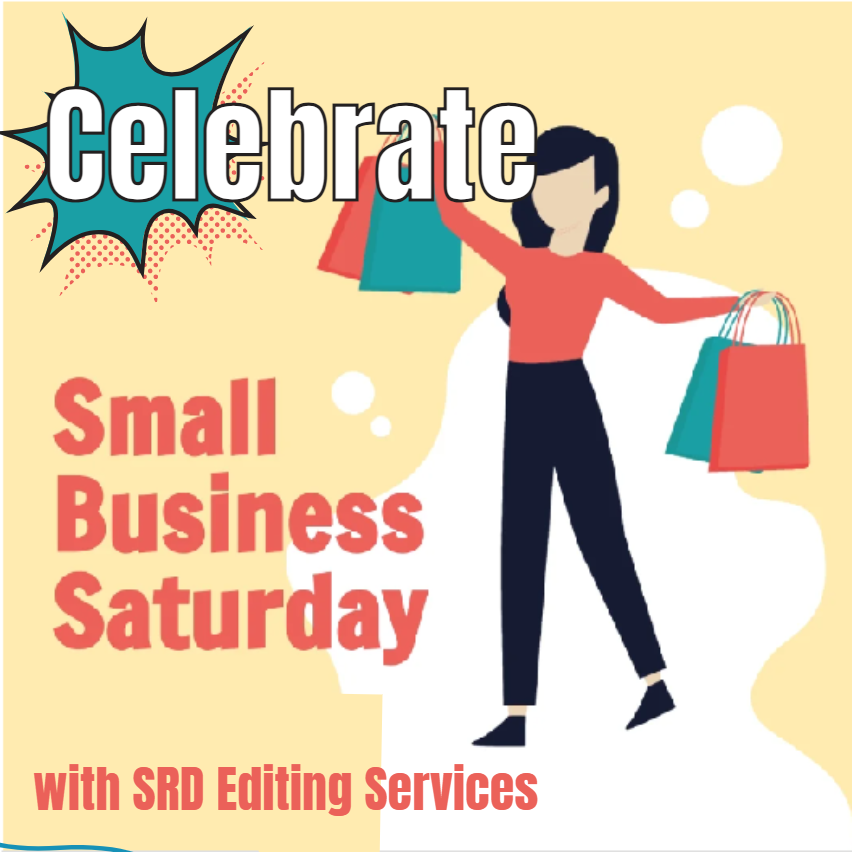
Cartoon image with phrasing "Celebrate Small Business Saturday with SRD Editing Services"

For the first time, SRD Editing Services is excited to announce special pricing for Small Business Saturday (Nov. 30)! And guess what? It’ll be the perfect gift for a writer in your life.

New clients will receive 15% off their first project (usually reserved for our repeat clients!), and repeat clients will receive 25% off all editing services on their next project!

Whether it’s a single service or a package, writers (or gift-givers!) can take advantage of this limited time offer to secure their spot on Cortni’s calendar. Even if the manuscript isn’t done yet, the editing service can be scheduled in advance through March 2025.

Contact SRD Editing Services through the Contact form on our website, via messaging on Facebook or LinkedIn, or by email at editor@srdeditingservices.com.

This reduced pricing offer is extended only for November 30 through December 2, so send your message, get your Estimate, and secure your spot on the calendar fast!


Posted on Leave a comment

CMS Citation for Nonfiction Writers: Use IMDB for Film Citations

CMS citation example: showing paper with question and footnote joke.

When you’re writing nonfiction, it’s important to cite the sources of your information. Back in the day, it used to only be acceptable to include citations for books and journals, but not any more! Today’s Chicago Manual of Style (CMS) citation references include not only books and journals but websites, magazines, social media, and even film sources.

While you sometimes might want to include a quote or information that you came across in a fictionalized movie, there are also plenty of nonfiction films, such as documentaries or biopics, that you may want to include in your bibliography. When that’s the case, you can use the Internet Movie Database (IMDB) to find out all the details and fully cite your source appropriate to Chicago, MLA, or APA style – although this blog is going to focus mostly on Chicago.

Now: please note, the 18th edition of the Chicago Manual of Style was just released earlier in August 2024, but this blog will continue to elaborate on the specifics of the 17th edition, as that is still the mostly commonly used across many commercial publishers. Subscribe to the SRD Editing Services blog to be among the first to know about the 18th edition updates!

Film vs. Online Video

No matter what style guide you’re using, when you’re citing video, you will want to check whether the format of the video matters. For Chicago citation style, website videos – such as TedTalks, YouTube videos, or videos posted to social media – are cited differently than films that are released in offline formats first. 

For website citations, you’ll include some of the same information, such as the title of the video and the year it was published, but you’ll indicate to your reader that the source is specifically a video by including the word “video” in square brackets. Check the full details on Chicago citation style for websites for examples. 

CMS Citation for Film

When it comes to citing a film, you can think of what qualifies as a “film” by whether it is a production that requires a professional crew, a script, a studio or shots done on location, and other standards of film production that predate the internet and its distribution of film materials. 

So, for example, you may watch a movie on the web browser on your computer through a site like Netflix or Hulu, but if it’s a fully produced movie that you could also have gone to see in a theater or purchased a DVD copy, you wouldn’t cite it as a website video. 

Similar to an online video, the CMS citation for a film will include the title, the year it was released, and some of the production information, but the citation for a film will ask for a bit more than a website citation. 

Here’s what the Chicago manual has to say about including identifying information.

14.265: Video and film recordings

“Citations of video and film recordings…will vary according to the nature of the material….Any facts relevant to identifying the item should be included. Indexed scenes are treated like chapters and cited by title or by number. Ancillary material…is cited by author and title.” 

For both Notes/Bibliography style and Author-Date style, the Bibliography element will be the same. If you are referencing the whole movie, don’t include the “scene title;” that is only necessary to include if you are directing your reader toward a particular scene in the film.

“Scene Title in Title Case,” Title of Movie or Film, directed by FirstName LastName (Year; Location of studio headquarters: Film Studio Name, version date), Media or timestamp. 

Example: 

“Crop Duster Attack,” North by Northwest, directed by Alfred Hitchcock (1959; Burbank, CA: Warner Home Video, 2000), DVD. 

For the Note in Notes/Bibliography style citation, include the director’s name, the title of the film, and, where applicable, a timestamp of the moment to which you’re referring. This is similar to how the Chicago citation for books would include a page number or page range in the note. For shortened notes, include only the director’s last name, a shortened version of the title, and the timestamp. 

For an Author-Date style CMS citation, throughout the text, include only the director’s last name and the date of the film’s publication in the parentheses.  

If you have the DVD, the case may include most of the information you need, but if you don’t have the DVD case or it doesn’t have the details, IMDB is the place to go.

Special Cases for CMS Citation of Films

Of course, there are occasional situations where more or different information may be required. If a film doesn’t have a named director, for example, you could include a producer or lead actor’s name. If the film has been translated from a foreign language or distributed by different companies in different countries or for various editions, you may have to include some details about the translator or which version of the movie you’re citing, especially if you’re drawing attention to differences between the versions. (This is similar to how a Chicago citation for a book that has been translated or reprinted is cited as well.)

Ask Your Editor for Details on CMS Citation

So that’s a quick overview and the basics of CMS citation for films. When you’re writing fiction (especially historical fiction), you don’t need to include sources for material, although you can include information in an author’s note if you’d like. But when your book is nonfiction and you’ve taken the time to do the research, include the sources in a full bibliography. When you’re not sure how to cite, make sure to ask an experienced editor!

Talk to an editor about CMS citations

Posted on Leave a comment

What Does Book Proofreading Include?

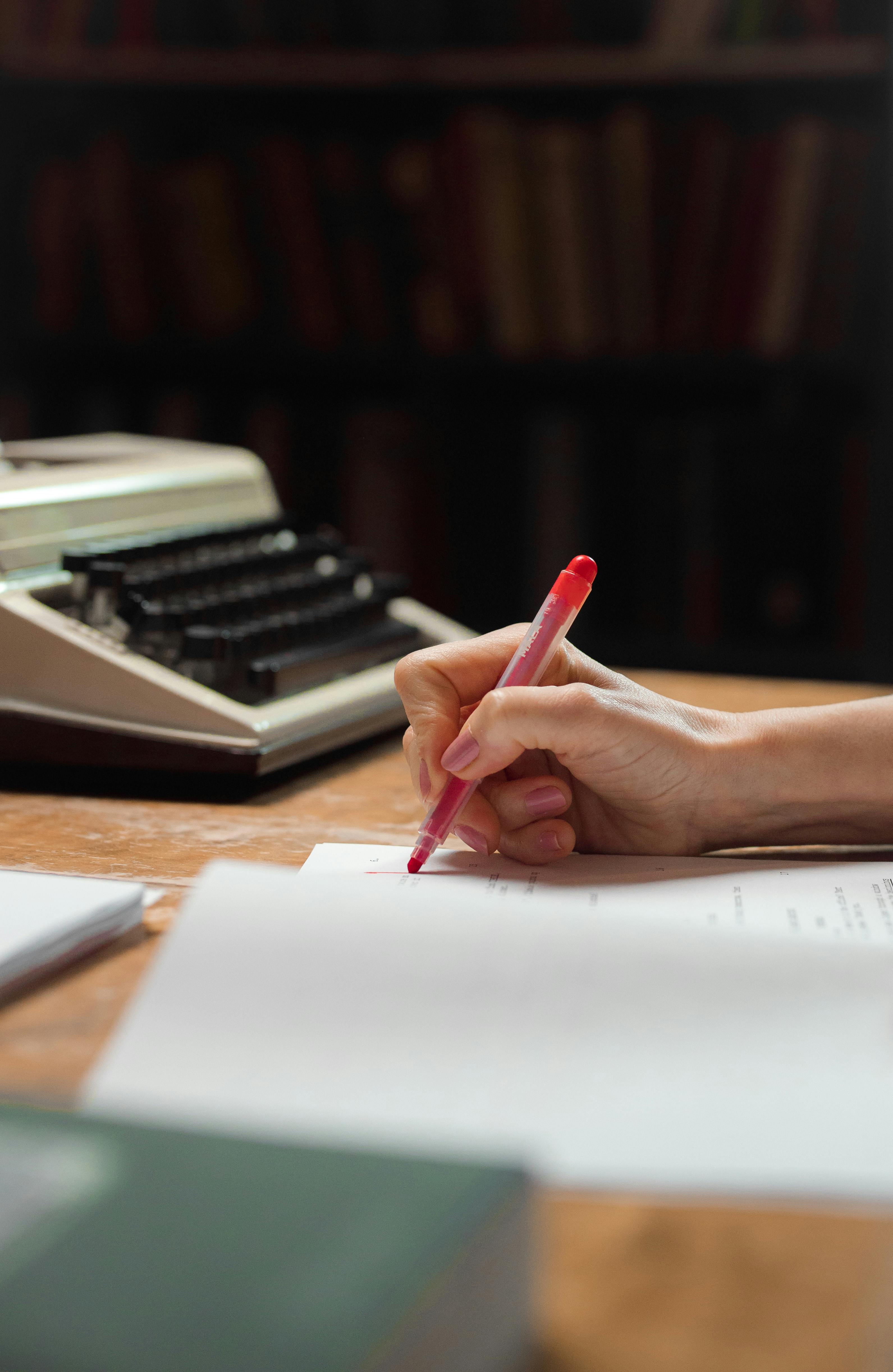
Hand holding red pen for book proofreading with typewriter in the background.

What Does Book Proofreading Include?

While many people mistakenly believe all stages of book editing are the same as book “proofreading,” there is most definitely a difference. 

Not sure if your manuscript is ready for a proofread? Asking yourself, “How do I find someone to proofread my book?” Read on for answers!

Traditional Publishing Sets the Standard for Book Proofreading

In traditional publishing, most stages of book editing are done in a word-processing program. As you might suspect, Microsoft Word is the industry standard for document editing. Even if you write your manuscript in Google Docs, Apple Pages, or another word processor with some text enhancement features, expect your editor to convert your manuscript into a Word document to access the fullest range and best editing features available on the market. 

Don’t worry too much about formatting and layout in this software. There are a few things that should be done to make the overall editing process smoother, but don’t get stressed out about making your Word document look like your vision for the final product. For all its wonderful aspects, MS Word is not the best program for finalizing your book manuscript. 

Once all the stages of book editing are complete – which, in traditional publishing, is typically four rounds of edits (developmental, content, line, and copy editing) – a designer at the publisher will use software like Adobe InDesign to convert your manuscript into a “galley proof.” 

This is when your document begins to “look like” a book! The designer prepares your manuscript by adding things like the correct spacing between lines, drop caps at the beginnings of chapters, fancy or final fonts, images with captions, page numbers, headers and footers with your name, the chapter title or book title, and other design elements. At this point, you’ll no longer be working with an MS Word document; your galley proof will have been converted into a PDF file. 

Now, because all these formatting and design elements have been added to the galley proof, it is more difficult to edit and make large-scale changes to it. PDFs are more complex files that hold more information, and making changes to them can require more steps. Once your galley proof has been designed, you are truly ready for book proofreading.

So What Is Involved in Book “Proofreading”?

Different steps in the stages of book editing focus on different concerns. True book proofreading involves a very light touch, where the proofreader focuses on correcting only “true errors.” Your proofreader will review your galley proof PDF and mark up or make specific changes to typos, spacing errors, and style elements. For example, your proofreader might correct capitalization or apply or remove italics where appropriate. Hopefully, your editor has caught most of these, but sometimes during the process of converting your file from a Word document to a PDF, elements get missed or mistakes happen.

Keep in mind, your proofreader is not reading for ideas or content. They are not fact-checking or confirming spellings of names of public figures or other Google-able information. They are not going to give you feedback on character development or plot holes. They, honestly, are not really paying attention to the same things your editor should have paid attention to. They are focused on finding those true errors that your editor may have missed or that could have even been introduced at some point during the editing or file conversion process. They are focused on checking the consistency of design elements and making sure everything “looks right” in addition to the text being as error-free as possible.

Why Is Book Proofreading Important?

Your proofreader is the last set of eyes to go through your manuscript before it goes to the printer. Hopefully, your proofreader finds an error only about once every 1,000 words (or even less often!). By the time the PDF gets to them, it should be mostly clean and polished. Mostly finalized. So close to done that it only needs one more read-through, and that read should catch so few errors that it takes only a few minutes to finalize once they return it to the graphic designer. Then, your approved galley proof goes off to the printer!  

It’s important to understand this process because when you ask someone “Can you proofread my book?,” you’re asking them to pay attention to the smallest details, not the big-picture issues, and you’re trusting them to have a razor-sharp eye to prevent even the smallest error from making its way into the published version. 

Of course, people make mistakes! No one is perfect. And having multiple professionals involved in the various stages of book editing helps to catch as many errors and address as many concerns as possible. Even traditionally published books that have gone through so many rounds of editing and proofreading might still contain errors when they are released to the market. So give a little grace and have a little patience. Proofreaders are doing their best to help make your book as perfect as it can be, but they might miss one or two things if your book is particularly long or dense, or if on a tight deadline.

What Should I Be Aware of When Hiring a Pro to Proofread My Book?

While this blog has discussed the standards found in traditional publishing houses, self-published authors can follow the same process. Some editing might be combined into a single step in the stages of book editing—such as having the same editor perform both content and line edits—but each book should have separate steps for editing and proofreading.

The lesson here is that, as an educated author, you should be aware of the differences between the stages of book editing, including book proofreading. Don’t confuse the two! Of course, there are similarities, and experienced editors can be excellent proofreaders (and vice versa), but don’t tell your editor that your manuscript “only needs a proofread,” unless you’re convinced that it’s so clean and error-free that it’s ready to be put into PDF format. If there are no more changes to make – other than adjusting for true errors – you’re likely ready for a true proofread. Ask a professional for a sample edit or proofread of up to five pages to allow them to determine which type of service your manuscript needs. Once they have evaluated that you’re really ready for a proofread, get excited, because it means that your book’s launch date is just around the corner!

Ready to discuss your book proofreading?

See Related Blog Articles...

Posted on 1 Comment

How Long Will It Take to Edit My Book?

Answer to the question how long will it take to edit my book symbolized by woman's hand holding pen and marking up document.

Sometimes a question seems straightforward, like “How long will it take to edit my book?” but the answer can be a bit deceptive. There are a few variables to consider before you arrive at the right answer for your situation. 

In this blog, we’re going to consider what different timelines might look like if you get your book edited by a professional. But if you’re interested in some steps you can take to self-edit your work before hiring a pro, take a look at these blogs for some suggestions: 

Self-Editing Checklist for Authors

29 Words to Cut from Your Novel

Self-Editing Tips: Use CTRL+H to Edit Your Novel

If you’re thinking, “I want to hire an editor for my book, but I don’t know how long it will take,” read on! 

Different Levels of Book Editing

One of the biggest factors in how long it will take when you get your book edited is the level of editing your book needs. If you are an amateur writer who is just getting started, you may not have a clear idea of what these terms mean or what the results will look like after your book has been out through that round of editing. 

Please don’t expect an editor can” fix” everything in a single round. If you have questions about what is included in your editor’s services, you should ask. When you get your book edited, you should always have a clear understanding of what your editor is doing. If there is something specific you want them to do, make sure to address that with them.

Developmental Edit

A developmental edit can take several months. Many people think, “It won’t take that long to edit my book,” and sometimes it doesn’t, but if you want the ultimate package that includes feedback, direction, and coaching, you shouldn’t rush this process. 

Typically a developmental edit happens when you haven’t yet finished your manuscript. Maybe you need help brainstorming or finishing the writing of certain sections. If you’ve got a plot hole you don’t know how to fix, or you’ve written everything except the conclusion, or you’re not sure about big-picture things that affect the whole book (like pacing, structure, and tone)…look at your developmental editing options. 

This level of editing will help you cross the finish line if you haven’t gotten to the goal word count you’re reaching for, or it will help you cut down the manuscript to a marketable length if you’ve overshot the ideal word count for your book’s genre. Think of it like professional “workshopping,” where an experienced editor (who is often also a writer) helps with way more than just the technical elements of grammar, spelling, and punctuation. 

Content and Structural Editing

Content editing can reasonably be expected to take a few weeks to several months, depending on the length of your manuscript and whether you provide your editor with detailed directions for what you want. 

This level of editing most often happens once you’ve completed your manuscript, but often when you get your book edited with a developmental package, suggestions for the structure and content are included. 

Content/structural editing focuses on the storyline and pace, organizing the chapters or sections, and ensuring continuity and cohesion. If you’re not sure if chapters are in the right order, or if you want help from an outsider’s perspective with double-checking content and organization, content editing may be the right option. A content editor may or may not also include line editing and correcting errors as part of their process, and of course, if line editing is part of the process, content editing will take a bit longer. 

Line Editing

Line editing can go quickly when you hire a professional editor for your book. At SRD Editing Services, we estimate one week per 25,000 words for our line editing services, although most are completed sooner.  

A line edit is what people commonly mean when they say, “I need someone to edit my book!” A line edit frequently focuses on line-by-line changes, looking at specifics of word choice, repetitive wording, in-chapter changes, and corrections to elements of style and grammar. A line edit will often include more than merely corrections to typos and grammatical errors; it can also include suggestions for improvement, although these tend to be more focused and less sweeping than what you’ll find in a developmental or content edit. 

Copyediting

The least-intense, and therefore quickest, type of editingcopyeditingcan typically be completed by a professional in a week for most manuscripts of 100,000 words or less. If you’re looking to get your book edited by a professional, at the very least get it copyedited, even if you skip all the other editing steps and options. 

People often confuse copyediting and proofreading, so it can be helpful to be aware of the difference. 

Have your book copyedited as an MS Word document before you have it converted into a PDF or epub file by a professional graphic designer. Word has several valuable features that make it easy to search for and correct grammar mistakes, spelling errors, punctuation problems, and more. Once your manuscript is turned into a PDF, making changes can often be more difficult and involve more steps/more work. 

Have your book proofread after it’s turned into a PDF. Once you or a graphic designer has converted the manuscript into “what it will look like” to the consumer, you’ll want to do a final review to catch any small mistakes before the book is available to readers. 

Copyediting will likely involve correcting multiple errors on a page; by the time you’re proofreading, hopefully, your manuscript will need only one correction every four or five pages.

What Other Factors Affect the Timeline to Edit My Book?

While the type of editing you choose for your manuscript will naturally affect the timeline when you hire an editor for your book, there are other factors to consider that will affect how long it takes to edit your book.

Length of the Manuscript

While it seems self-explanatory, longer manuscripts usually take longer to edit. Although it’s not quite that straightforward. While a 10K-word manuscript may take less time than a 50K-word manuscript, if the shorter one needs a more in-depth edit (like a developmental edit) and the longer one needs less editing (like a copyedit only), then the two manuscripts may take approximately the same amount of time.

Genre of Manuscript

Complex or heavily researched manuscripts will take additional time due to fact-checking, reference-checking (whether as Notes or in a Bibliography), character tracking and consistency reviews, or structural analysis. Poetry, fantasy, sci-fi, and historical fiction and nonfiction are some examples of genres that commonly take more time to edit.

Experience and Approach of Editor

Ask yourself: “What’s important to me when I hire an editor for my book?” Editors, like writers, have different processes. If your editor is very experienced, they may have a standardized form or set of questions to help them save time. They will likely have a specific style guide they want to use, and if you are more familiar with those standards, you can save time collectively.  

Avoid an editor who claims to use AI to assist their editing. Amazon and other online publishers are now developing policies to prevent writers from uploading AI-generated materials. There is a fine line between AI-generated and AI-assisted, and mislabeling your content can result in severe penalties. 

Final Thoughts on Hiring a Professional to Edit My Book?

No matter what factors influence the timeline for your book’s edit, it’s prudent to underestimate that multiple factors can affect your personal publishing goals. A professional editor can make a reasonable or general estimate, but snags can always come up during the process when you get your book edited by a pro. 

Whatever timeline you and your editor agree to, it’s wise to add 10% as a cushion, especially if you have additional deadlines to meet after the edit. My book editing schedule includes extra time built in to account for the “unknown unknowns,” and I suggest you take this precaution as well. While it isn’t always necessary, clients (writers) are often happy when I plan for this extra time and end up having their edits completed ahead of schedule. Win-win.  

Ready to Hire an Editor for Your Book?

Posted on Leave a comment

Planners Vs. Pantsers: Tips for New Writers on Navigating Your Writing Journey

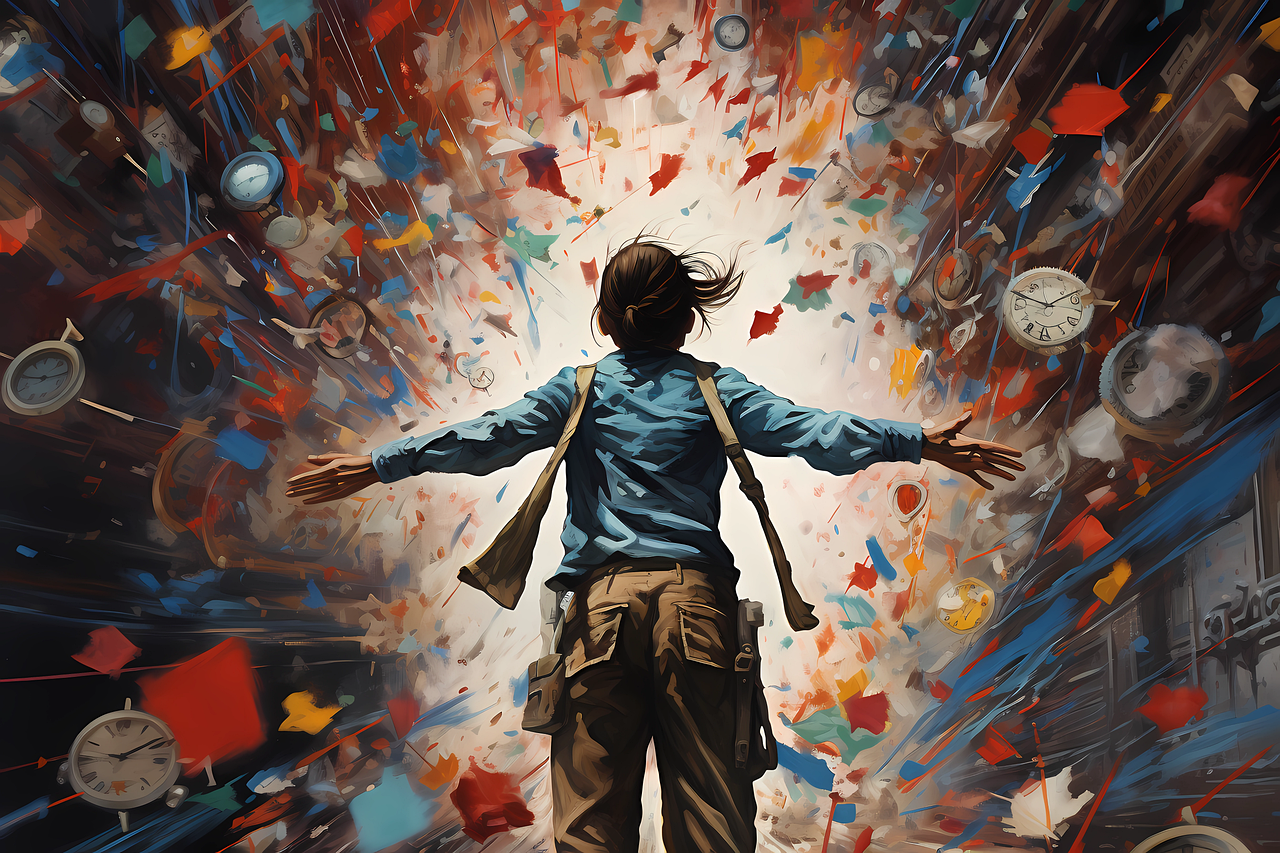
An AI image of a woman's back. She is wearing blue shirt and khaki pants and facing an explosion of colors, clocks, and perhaps scraps of paper. Symbolizes how pantsers approach the creative writing process by prioritizing spontaneity and creativity.

Writing is a unique journey, and every writer has their own style. Some meticulously plan every detail, while others embrace spontaneity and write “by the seat of their pants.” As an editor who has worked with both types, I’ve come to appreciate the strengths and challenges each style includes. In this blog, we’ll explore the worlds of planners and pantsers, providing valuable tips for new writers on self-publishing and the various stages of editing a book.

Planning Your Path: Crafting a Literary Blueprint

The Planner's Playground

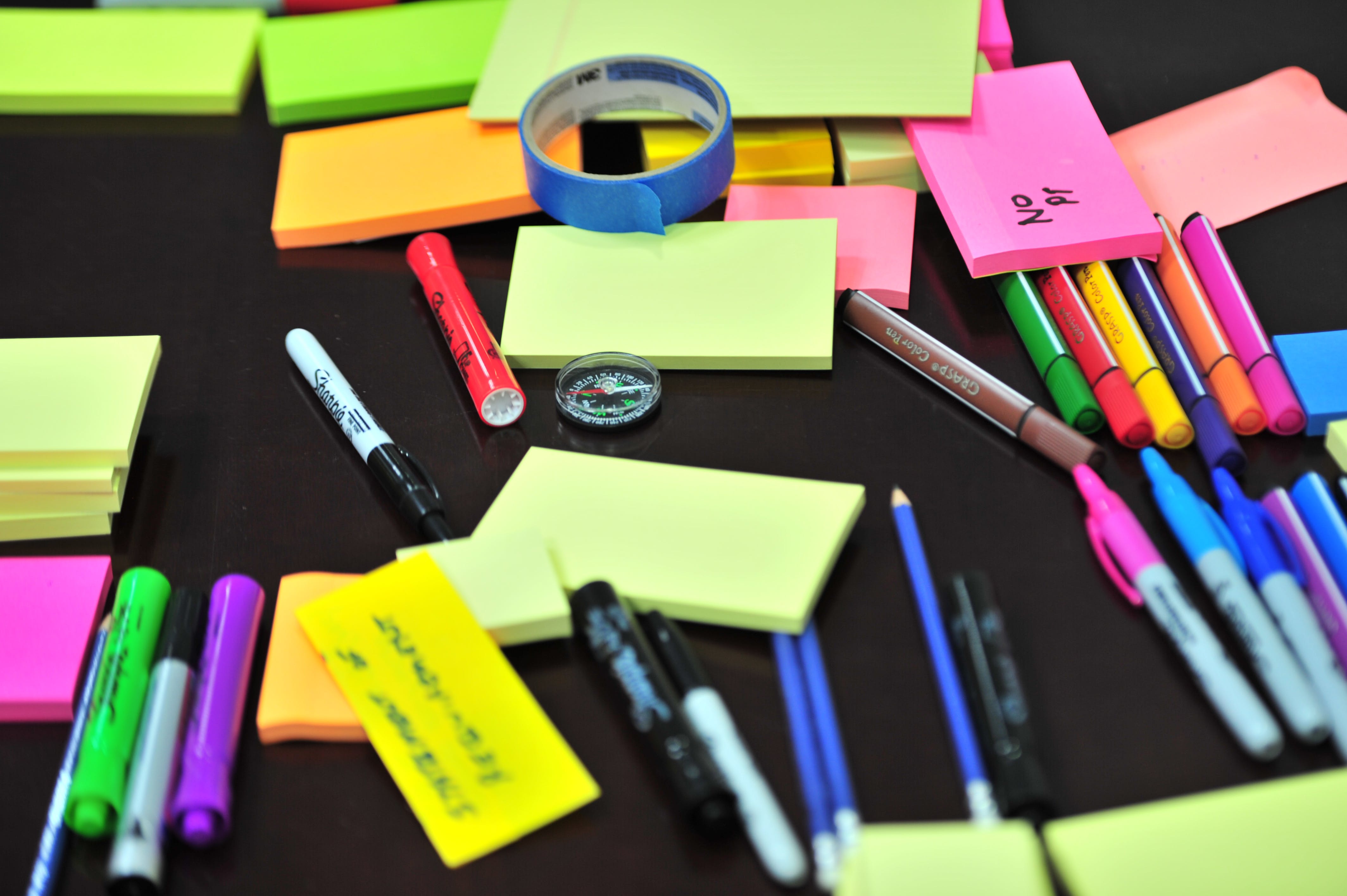
A notebook and pen with crumpled pieces of paper on a wood desk; symbolize the planning type of writer in discussion of tips for new writersPlanners, or “architects,” are writers who thrive on structure. Here are some tips for new writers who want to take this meticulous approach:

1. Develop a Detailed Outline

For planners, the key lies in crafting a comprehensive outline as a crucial stage. Break down your story into chapters, noting character developments, key events, and thematic elements. This roadmap will guide you through the writing process, minimizing the risk of getting lost in the narrative wilderness.

2. Explore Character Motivations

While planning is your strength, be wary of falling into the trap of a too-rigid structure. Take time to delve into your characters’ motivations. Understanding their desires, fears, and conflicts adds depth, preventing characters from feeling flat or lifeless.

3. Avoid Rushing Things

Planners may be tempted to rush through scenes because we know the outcome. Be mindful of pacing during these drafting stages. Don’t sacrifice tension. Ensure each scene serves a purpose and contributes to the narrative arc. During later stages of editing a book, you can trim or add as necessary.

Learning from Pantsers: Valuable Tips for Planners

While planners excel at creating structure, there’s much to learn from the spontaneity of pantsers. As a dedicated planner, I often work with pantsers who remind me of the magic of spontaneous creativity. During brainstorming or creativity sessions, often unplanned ideas emerge and transform the entire plot. These revelations can result in some of the best elements of a finished story. You’ve got to allow space for the unexpected.

Embracing Spontaneity: Tips for New Writers Who Write by the Seat of Their Pants

The Pantser's Playground

An AI image of a woman's back. She is wearing blue shirt and khaki pants and facing an explosion of colors, clocks, and perhaps scraps of paper. Symbolizes how pantsers approach the creative writing process by prioritizing spontaneity and creativity. Pantsers, or “gardeners,” revel in the thrill of uncertainty. Here are some tips for new writers who find that this spontaneous approach works best for them:

1. Start with a Seed

For pantsers, begin with a single starting point – a character, an image, or a theme.This starting point can give you something to help your imagination run wild. Enjoy freedom from the constraints of a detailed plan, but give yourself a starting point as a seed from which your story can grow organically.

2. Embrace Plot Holes

Pantsers may find themselves overlooking plot holes, assuming that the narrative threads will magically tie together later. While spontaneity is your strength, be open to revisiting and filling in those gaps during later stages of editing a book. Your story should make sense to readers who don’t have the privilege of seeing everything in your head.

3. Balance Creativity with Structure

While celebrating your spontaneity, be mindful not to veer into overly indulgent or “purple” prose (or be prepared to edit it closely later especially if you’re self-publishing). Every reader craves a sense of overall story structure. Your narrative should be coherent and provide readers with a clear, engaging journey through your creative landscape.

Learning from Planners: Valuable Tips for Pantsers

Pantsers may be tempted to rush to put down all their thoughts, no matter where it leads the reader because they are enjoying the journey their characters take them on. Be mindful of losing your readers and having them drop out of the story because they couldn’t follow along. Don’t sacrifice clarity or cohesion. Make sure your wild ride still follows the standard “hero’s journey” or demonstrates a clear character arc by at least leading the reader to an end that makes sense based on the beginning. 

Still got questions? Check out this video from Jenna Moreci with tips for new writers, “10 Best Tips for Plotting Your Novel.” 

Image shows black text on white background of a 3x3 table explaining different types of planner and pantser writers. Can be helpful in self-publishing and different stages of editing a book.

The Editor's Role in Different Stages of Editing a Book

Whether you meticulously plan or live the pantser life, both approaches benefit from a skilled editor’s touch and multiple stages of editing a book. One of my top tips for new writers is: Do NOT try to do all the editing at once. You will miss so many things. 

As an editor, especially for self-publishing authors, my role is to enhance the manuscript while simultaneously respecting the writer’s unique style. Here’s how I navigate the challenges for both planners and pantsers during editing:

Guiding Planners through Editing a Book

  • Addressing Rigid Structure: I guide planners to help balance their detailed plans with spontaneity. It’s important to encourage flexibility within their detailed (and sometimes very thorough) plan, which allows for authentic character development.
  • Tackling Rushed Pacing: For planners prone to rushing through scenes during the drafting of their book, I focus on pinpointing areas where slowing down can heighten tension and emotional impact. Could the scene use more description? More emotion? More dialogue. Identifying and addressing these types of gaps ensures a more satisfying reading experience.

Supporting Pantsers when Editing a Book

  • Filling Plot Holes: Pantsers may overlook plot holes or assume readers will connect the dots, but sometimes the manuscript benefits from a bit more obvious storytelling devices. My role is to gently guide the pantsers who resist structre and help them identify and fill in gaps so the reader sees how each scene logically builds from the previous one.
  • Maintaining Coherence: While celebrating spontaneous and quirky action, sometimes this takes the whole plot in a totally unintended direction. Often, writers realize this and try to steer it back to its original direction, but they sometimes need help maintaining coherence. A cohesive structure doesn’t mean sacrificing creativity; it ensures readers can navigate the narrative landscape without feeling lost.

Developmental Editing & Beta Feedback during Self-Publishing for Planners & Pantsers

Regardless of your writing style, the journey is incomplete without multiple rounds of editing, which can include developmental editing, beta reader feedback, and separate steps for line editing and proofreading, especially when self-publishing. Among the best editing tips for new writers – planners and pantsers alike – is that they can benefit from these crucial steps:

Embracing Developmental Editing when Self-Publishing

  • Strengthening Weaknesses: Developmental editing focuses on enhancing a manuscript’s strengths and addressing weaknesses. Whether it’s refining a detailed plan or filling in gaps left by spontaneity, this stage of editing a book is about refining your unique voice and making sure your message or story is clearly communicated.
  • Gaining External Perspective: A skilled editor provides an external point of view, identifying elements that might be unclear or inconsistent to a reader who can’t see inside the writer’s mind. A fresh set of eyes ensures your unique story resonates with a broader audience.

Tips for New Writers to Harness Beta Reader Feedback when Self-Publishing

  • Diverse Perspectives: Beta readers should be among your target audience. They can help highlight what works, what resonates, and where they felt disconnected from the text or confused by the story. Their feedback is invaluable in shaping your story so that appeals to your target readership.
  • Testing Emotional Impact: Beta readers help gauge the emotional impact of your story, an essential consideration for self-publishing and something you can absolutely tweak during the stages of editing a book. Do they feel connected to the characters? Are your plot twists effective?  Your beta readers’ responses guide you in fine-tuning your manuscript for maximum reader engagement.

Planning or Pantsing Your Writing Can Make for an Awesome Journey

Whether you meticulously plan every detail or let the words flow organically, your writing journey is a personal and evolving experience. Embrace your unique style, recognizing the strengths it brings to your storytelling.

As you embark on this creative adventure, remember that both planners and pantsers can learn from each other and there’s room for both in the traditional and self-publishing worlds. The careful architect can infuse spontaneity into their writing, while the adventurous gardener can benefit from the structure that ensures a satisfying reader experience. And both can address issues of structure or plot development in the stages of editing a book. 

Ultimately, every tips for new writers list should emphasize how the magic happens in the balance – a harmonious dance between planning and spontaneity. As you refine your craft, celebrate your individuality, and let the words guide you on your journey to becoming a seasoned and versatile writer, you’ll find the special mix that is just right for you.

Explore the Stages of Editing a Book with SRD Editing Services

Posted on 1 Comment

Cost to Self-Publish a Book

Graphic design image of hands exchanging ebook for money; symbolizes the cost of self-publishing a book

What Does it Cost to Self-Publish a Book?

 As an editor with more than ten years of experience, I can’t tell you how many times writers have asked me, “What does it cost to self-publish a book?” Although it seems like a straightforward enough question, the simplest answer is “It varies,” but writers are seldom satisfied with that. 

You will find a range of numbers online or hear stories from other writers of what they paid. Or, stories of what they didn’t pay for and regretted not having done professionally. 

The reality is that it depends on so many factors and individual decisions, and there is no one-size-fits-all solution. The biggest factor and what the cost to publish a book really comes down to is this: How much of the work do you want to do yourself, and how much of the work will you hire out to separate professionals or purchase a package from a service? 

I don’t think I can answer every single question about the cost of self-publishing in a single blog, but for what it’s worth, I will try to provide some basic information to give you the food for thought that will help you in your publishing journey.

How to Calculate Your Cost of Self-Publishing

Let’s go through some of the common steps of the publishing process and look at how that relates to the cost to publish a book. You can learn how to execute any of these steps in the process and save a line item in your self-publishing budget, but based on your time, resources, or prior knowledge or experience, it might make sense to hire professionals for some services and take on others yourself. In hiring professionals to fill in your own gaps in knowledge or expertise, you can greatly reduce your cost to self-publish a book. 

The publication process can include:

To save money upfront, you can certainly take on any of these steps yourself. As in any startup business, the self-published author has to wear several hats and perform many duties. Of course, for the most professional final product or the greatest return on your investment, hiring professionals for some parts of the process may be the right decision.

When Prioritizing Costs of Self-Publishing…

Now, I can’t advise you how to spend your own money. Obviously, you have worked hard on your manuscript, and as an editor and book lover, I think your manuscript deserves the best that you can give it when being launched.

My main piece of advice is: Think through everything. 

Every decision you make can affect your cost to self-publish a book, especially how much you pay out of pocket. 

During the writing process, many authors continue to see their book as their baby. They have such an emotional attachment to it. At this point, it’s time to switch over and begin to see your book as a product. You have to sell it. Which means you have to begin to think like a business person and not like a protective parent. 

Don’t learn by trial and error or get halfway into a step in the process and refuse to pivot when a challenge arises. Make decisions and a plan based on the best information you can find, then remain a little flexible for the journey. Having a plan at the onset can save you time and frustration and reduce your cost to publish a book. 

And, if you can build a 10% cushion into your budget to deal with unexpected expenses, do it.

"Shop Your Comps" (Competitors/Comparable Products)

Book cover with black and white image of books on a bookcase with yellow text "Sell books"

One of the first things I learned in sales more than twenty years ago is to always “shop your comps.” Now, “comps” might be short for “competitors/competition” or “comparables,” depending on who you’re speaking with. When evaluating your costs of self-publishing, you may even have to consider that you have different comps in different formats (i.e., ebooks may have different comps than printed books, even in the same genres). 

Although I know you’re likely thinking in terms of ebooks published to Amazon KDP and other platforms, consider this when thinking about your book’s comps: 

If you walked into a literal bookstore and found your book on the shelf, what would you expect to find next to it? 

If your book is a historical romance set in 1860s London with a feminist female lead character…then you should shop for other historical romances set in the 1860s (hopefully in London), with feminist female lead characters. If your book is a memoir that describes your rags-to-riches success story, your comps are other memoirs that detail the same kind of success story, perhaps even from someone with a similar background to yours. 

It may seem like a strange way to shop or a strange step to take when considering the cost to self-publish a book, but this is how your readers are finding books. If they leave a review or show interest in a particular book, the algorithm on Amazon will show them more products that are similar to ones they’ve already liked. Readers also tend to browse by categories and genres of books they already know they like, so if yours stands out “next to others on the shelf” (literally or metaphorically), your book has a better chance to sell. 

So, go to Amazon and search through the categories and genres in which you plan to publish. Don’t look just at the big-name bestsellers you’ve heard of before, but filter your search results to see the best-reviewed books, most recently released books, and books recommended based on others you’ve read or know.

Your book should “look” as much like the competition as possible. Take note of the cover artwork and interior design and formatting (if you can get a sneak peek into the book). Take a look at the back cover or online description and author bio.

Apply a critical researcher’s eye. What do you see? 

Is it common to see clean copy in the book descriptions or do you notice typos and errors? Do the covers look similar? Can you tell which covers are professionally designed and which are more likely done by an amateur? Are a lot of your comps published in multiple formats (ebook, audiobook, paperback, hardcover, etc.), or is it pretty common to see others in your category exclusively in one format? What do the reviews look like? What are some readers’ biggest points of praise and complaint? 

 Then in big-picture terms, start applying these ideas to your thoughts on budget and cost of self-publishing. Addressing or thinking ahead about the following can help you reduce some of those costs or get the most value out of what you pay: 

  • What would make your book more appealing than theirs? 
  • How would yours stand out as different? 
  • Could you add a subtitle? (are subtitles common in your genre?) 
  • How can you craft your online description/back cover copy to both fit in and stand out among your comps? 
  • Would a blurb from another author in your genre be helpful or welcome or do the readers in your genre steer clear of that kind of promotion?

Remember, these books are your competition. Readers might scroll past one of these books and land on yours. What is going to make them click to “Read More”? And then, what is yours going to do differently to make them put it in their cart or on their TBR list?

While the cost to publish a book is the main focus during these recon missions, this information-gathering will be helpful in every step of the publishing process, and by doing this at the beginning, you can save yourself valuable time and avoid common errors or holdups that other authors run into.

Keep Track!

Take notes. Keep a list of resources, videos, links, articles, and advice that answers your questions or provides useful tips. Use bookmarking in your web browser and other apps to keep track of your own resources for info on the cost of self-publishing.

Whatever your process is, take notes, and once you’ve eliminated an option as no longer being right for you, strike through it, but don’t delete it. It’s then easier to see what options you’ve evaluated and rejected so when someone recommends it to you again, you won’t think to yourself “Wait, have I looked at that already?”

Editing Costs When Self-Publishing

In the traditional publishing model, the publisher pays the associated editing cost to publish a book. But as a self-published writer, you will have to decide how much editing you would like to do yourself and how much you want to pay someone else for. 

Traditionally published manuscripts typically receive four rounds of editing, at least. Usually, the author’s agent has offered developmental editing and assistance with revising and rewriting before the manuscript is even pitched to a publisher. Then, the publisher may ask for their own round of developmental edits and revisions – including removing or adding characters, rewriting entire scenes or storylines, or completely revising the beginning or ending of a story. 

Then, the manuscript typically goes through a round of line editing followed by a round of copyediting, to remove any word choice errors, reduce repetitive language, and fix grammatical or technical problems. These steps may be repeated. 

Then, after formatting by the graphic designer, the manuscript typically goes through a round of proofreading to ensure that no errors made their way into the publish-ready manuscript (called the “proof”). Once the proofread is complete and corrections are implemented, the book typically goes off to the printer. 

Now, while readers expect self-published books to be as error-free as traditionally published books, all those rounds of editing certainly affect the cost of self-publishing. Paying a fair market rate to each of the editors may be out of budget, which is why many self-published authors choose to improve their self-editing skills and edit their own material, or to skip one or more steps in the process. It’s totally understandable. 

Check out our blog with a Self-editing Checklist for Authors.

Check out our blog on Using Ctrl + H to Self-Edit Your Writing.

On the other hand, that’s often why self-published books are derided as being poor quality compared to traditionally published books. Many readers expect a book to be completely error-free once it reaches their hands; they are accustomed to books that have been put through many rounds of edits. Readers may be especially sensitive to typos, unclear or repetitive sentences; awkward, stilted, or wooden dialogue; unchecked facts; and a number of other inconsistencies and sloppy inaccuracies in self-published materials on Amazon KDP and other platforms. 

Of course, as an editor, I’m biased. I think it’s absolutely worth including the cost of editing in your budget of cost to self-publish a book. I 100% recommend that every book go through *at least* a line edit and a proofread. If possible, these two duties should be performed by different people. A line edit before the formatting layout helps catch errors of clarity or meaning; a proofread after the layout helps catch errors of readability. 

The first cut-off number recommended professionally is 40 errors per 1,000 words. Before you move into the formatting/layout stage, get your manuscript below that number and it’ll be “mostly clean.” For a proofread, you want to keep reviewing it until your error rate is lower than 1 error per 1,000 words

Some ways to reduce this cost of self-publishing include beta readers, group workshops or critique swaps, or run your draft through the Editor tool in MS Word, Grammarly, or ChatGPT. The real-life people can help you catch errors in meaning and ideas that would engage the reader, and the technical/AI tools can help you catch technical errors and correct grammatical problems. Doing both of these before handing it off to a professional editor can help reduce your time, frustration, and cost to self-publish the book.

Cost of Self-publishing: Design

Man in grey shirt handing money toward the camera; symbolizes design costs of self-publishingIncluded also in the cost to publish a book are the visual elements,  pictures, graphics, and other details that contribute to the look and presentation of the finished product. Design costs include the creation of art and organizing the layout of both the book’s interior and exterior. This means the book’s front cover, spine, and back cover, as well as a book jacket if you’re publishing a hardcover book. Then of course, the text must be laid out and formatted. 

Design costs will vary depending on the complexity of your book. Again, you might be able to learn to do some or all of this yourself. Some graphic designers offer services to illustrate and create both interior and exterior of the book; others specialize in one or the other. In addition, if you envision your book having multiple images–photos, charts, graphs, maps, or illustrations–there may be additional costs associated with producing, editing, or formatting them. 

And, this is not to get into too much detail about graphic novels, cookbooks, and illustrated kids’ books–anything with specialized fonts or additional graphic work for the text will add to the cost to self-publish that book. If you’re planning to publish an image-heavy book, expect costs that text-heavy books wouldn’t encounter. And of course, whether you’re publishing via Amazon KDP, multiple ebook platforms, or in print can affect your total costs. 

Need a referral for a professional graphic designer? Please ask! SRD Editing Services is happy to provide referrals for professional graphic designers and book cover artists with whom we’ve worked before. 

Some common design-related expenses include:

Front Cover Design

The front cover design is essential for attracting readers, who will expect a professional look that speaks to your book’s genre, themes, and central plot. You can create a cover yourself for free, but I wouldn’t recommend doing so without experience, unless you utilize the templates and tools available from a program such as Book Brush, which is designed for authors who may not have graphic design knowledge. 

If you choose to hire a professional, you can buy a pre-made template or have a design custom-created to your specifications. The cost of this self-publishing step can range from less than a hundred dollars to over a thousand. Typically, as with many creative products, you “get what you pay for,” but you always want to look for a designer with a wide portfolio that includes examples in your book’s specific genre. If you find a designer who offers multiple revisions, that is usually best, as it allows for some trial-and-error to help you get the exact right cover for the book you’ve worked so hard on.

Interior layout

This may be one way, if publishing only an ebook, you can reduce the cost to self-publish a book. Free ebook formatters like those at Reedsy or the open-source software Calibre allow writers with very little design experience to get the job done, with a low-enough learning curve. 

However, if you want a print version of your book, it is more difficult. Or, if you’re concerned about digital rights management (DRM) and keeping your ebook secure (especially on Amazon KDP), you may want to consider if the cost of hiring a professional is worth it. 

Whether you’re publishing in ebook or printed, a book’s interior layout should be polished. For a printed book, this means things like page numbers and running headers and footers in the right places. For an ebook, it means details like creating an auto-formatted table of contents and hyperlinking it to each corresponding chapter. There are also considerations such as adding and finalizing the front and back matter and adjusting page layouts for bleed and trim sizes on printed materials. 

If you are authoring a children’s book, graphic novel, or other printed book where you want to purchase a unique font for publishing, you may have to pay the graphic designer who owns the font copyright for licensing rights to use their font. 

A professional will take care of all these details and more, and this cost of self-publishing will vary from a few hundred dollars to over one thousand, depending on the person’s experience and the scope of work.

Illustrations & Graphics

If your book requires illustrations, charts, graphs, or other graphic elements, you may need to hire an illustrator or graphic designer. There are some free tools to help nonprofessionals, such as Canva or Inkrate, if you’re inclined to try making some imagery yourself. This cost to publish your book will depend on the number and complexity of the visuals. 

Look for free templates or pre-made stock graphics, photographs, and illustrations that are available for commercial use with or without attribution. Always check the licensing rights on any images you’d like to use, as some images may require purchase. 

Ebook Conversion

If you’re publishing both a printed and ebook version of your book, some graphic designers will include an ebook file (.epub) along with your formatted files for printed books. Other designers will charge for a separate conversion of your ebook files. Of course, you can also perform the ebook conversion yourself with free software, although your options may be limited. 

The cost of ebook file conversion ranges from less than one hundred to several hundred dollars, depending on the specifics. SRD Editing Services offers ebook formatting for authors interested in an ebook-only formatting service.

Publishing, Distribution & Promotion Costs to Self-Publish a Book

In traditional publishing, the costs of publishing, distribution, and promotion are largely taken on by the publishing company. The author may have some promotional costs associated with travel or public bookings, but typically they may be eligible for reimbursement either from the publisher or on their taxes. 

The publishing cost to self-publish a book is substantially greater. You take on all of these responsibilities, as well as their associated expenses. Consider the following in your publishing, distribution, and marketing and how they might affect your budget.

ISBNs

Every version of every book needs a different ISBN. That means that when you publish a single title, each format of the book should be assigned its own ISBN: hardback, paperback, ebook, audiobook, and so on. ISBNs should be purchased directly from Bowker, and they can be purchased in bundles of 10 or 100, so if you know you’ll be publishing multiple titles and you’ll want them in various formats, you can buy in bulk. ISBNs never expire and can be saved until whatever publishing date you choose to use them. 

To keep publishing costs down, many authors will release their book first in ebook format only. If you plan to keep your distribution narrow and exclusive to Amazon KDP, Amazon will provide you with a free ISBN. If you plan to “go wide” with your distribution and make your ebook available on multiple distributing platforms/channels, go ahead and purchase an ISBN that’s not Amazon-affiliated.

Copyright Costs

As noted in the design section, if there is a specific copyright-protected font or image that you’d like to use in your published book, you may have to purchase the licensing rights for your commercial product (i.e., your book). Additionally, if you include song lyrics or want to quote large sections of copyrighted material from another author, you may also need permission from the copyright holder to reprint the material. At times, permission may be granted simply by asking and including attribution to the original copyright holder. At other times, republishing rights may have to be purchased. Consider your material and whether those republished sections are vital to the message of your text when evaluating the cost of self-publishing your book.

Print-on-Demand Costs

The great thing about print-on-demand (POD) publishing is that there is no inventory for you (or anyone!) to stock. A book is printed only after a customer clicks “Purchase” and inputs their payment information.

The downside to that model is that there is no discount for “bulk printing,” and overall, each individual book costs more. 

(OK–you can often do a bulk order and print several books at once for a discount; there are exceptions to these general statements, but your consumers will pay more on average than they would if your book was available via a big retailer or traditional publishing distribution channels.) 

Because of most distribution websites’ pricing structures, the author can choose how large of a profit margin they want to allow themselves, essentially deciding how much of the printing cost to self-publish their book they want to pass directly on to the customer. But then, this can affect sales. As your book’s price increases, it’s possible that the sales number will decrease. 

You can keep the cost of printing down by researching the options and implementing a few strategic choices to control costs. The size of your printed book (5×8 vs. 6×9, for example), the type of paper, and the number of photos or illustrations can all affect the price of your book–even more so if they’re color. 

 So if you’re planning to offer a paperback or hardback version of your book, make sure you research your print-on-demand options and what extra steps will be necessary to maximize the value of your self-published book.

Advertising, Marketing, & Promotional Materials

This is–believe it or not–probably the easiest and quickest way to spend money on your book. A sneaky line item in the cost of self-publishing that can balloon far beyond its initial estimate. There are so many companies and individuals out there promising to sell a million copies of your book if you’ll only spend a certain amount on ads, and newsletter plugs, and email marketing, and a book trailer…

White cartoon person pushing down dynamite hooked to orange text "budget" in the background; symbolizes "blowing up" the budget cost of self-publishing

When thinking about what kind of marketing and promotions you want to do for your book, consider how you can repurpose free material already at your disposal. Can you use images you already paid for? Can you make use of free stock video and video editing software? Do you have a friend who is willing to give you word-of-mouth promotion to their wide social media following? Of all the ways to reduce the cost to publish a book, this one deserves your attention and a detailed plan. 

Consider the various ways you can market, advertise, and promote your book for free or very little cost. It’s easy to invest thousands into marketing a book and ending up with no sales to show for it; make sure you have a plan, wisely consider all the factors, and have clear criteria for what determines the moment you’ll “pull the plug” and discontinue a potentially draining and ineffective marketing strategy.

Self-Publishing Services Can Reduce the Cost to Publish a Book

I recommend you look into the self-publishing services companies and see which offers the services you want at the price point that works for you. A full self-publishing services company should handle printing, distribution, and maybe some marketing for you. But marketing services can vary greatly as well. So before you spend a dime, take the time to do the research and craft a plan that lets you minimize your effort and maximize your results once it’s time to publish.

Conclusion: Results > The Cost to Self-Publish a Book

For you, “results” could mean a sense of accomplishment, checking an item off your bucket list, or the thrill of seeing your name on the cover of your very own hard work. No matter what the cost to self-publish a book is, if it’s the right choice for you, you’ll be willing to pay what it costs to bring your dream into the world.

Got more questions for the editor about the cost of self-publishing your book?

Posted on Leave a comment

Write like Great Classic Authors: Ernest Hemingway

Ernest Hemingway, beloved among American classic authors
 

“Write the truest sentence you know.” Then do it again. One sentence at a time, you write your story. Classic authors knew that there was nothing like capturing and keeping a reader’s attention, and titan in the literary world, Ernest Hemingway, knew and performed this trick better than most. 

Known for his concise, powerful prose, Hemingway’s advice to write one true sentence at a time encapsulates the essence of his approach to storytelling—one that hinges on the authenticity of every sentence.

In the world of Hemingway, the narrative unfolds one sentence at a time. Sentences pull the reader along, like links in a chain, to the conclusion, toward the truth. Truth is elusive and can change from sentence to sentence, but if a writer focuses on making each sentence true, the reader will be pulled along. Every writer, (yes, even the classic authors), desires the command of readers’ attention. 

By crafting each sentence with a commitment to truth, the writer threads truth throughout the entire tale.

Black and white photo of classic authors Ernest Hemingway sitting at desk with mountains in the background
For more about the life of Ernest Hemingway, visit the Hemingway House website

How Do I Write Like Hemingway?

To write like Hemingway, focus on simplicity and brevity. Use short, direct sentences and avoid unnecessary details. Embrace the “show, don’t tell” principle, allowing readers to infer meaning from the narrator’s descriptions, character’s expressions or movements, or vague dialogue. 

Develop a keen observation of life and draw inspiration from your experiences. Consider keeping a creative scrapbook and collecting quotes, thoughts, notes, and ideas from authentic experiences you have in real life. Hemingway’s writing incorporates a deep understanding of human emotions, so use real emotions and behaviors you see in the world as inspiration for honest emotional resonance in your writing.

How Do I Edit like Hemingway?

You can also keep this commitment to truth in mind when editing. Hone your editing skills to eliminate redundant or flowery language. Remember that every sentence should be able to stand true on its own. Every sentence should contain something that moves the story forward and keeps the reader engaged. Otherwise, does the story need it? If there’s no truth or value in the sentence, can it be cut? 

Classic authors invested less time in editing than they did in writing, because, when writing everything by hand, they were often more likely to decide on their word before committing it to paper. In today’s world of Backspace and Delete All functions, you may find yourself spending more time editing than Hemingway would have. Technology makes both writing and editing simpler than ever before.

Classic Authors Were People, Too

Of course, Hemingway’s life and work are not without controversy. In particular, his portrayal of women was *ahem* questionable (and certainly never passes the Bechdel Test). I am not the first to criticize him for being stereotypical, limited, and reflecting traditional gender roles. Like any author, his perspective is limited, and his version of the truth in the world is biased. 

But take from him what you can and build a brighter future. 

As you hone your craft as a writer, let this spark of wisdom from one of the great American classic authors serve as a guiding light. Hemingway’s words of wisdom can be a reminder that every sentence should bear the weight of truth. Remember that each sentence not only contributes to the story’s progression but also must captivate and enchant the reader.

If you want to write with a similar brilliance to Hemingway, don’t forget how important it is to develop your own style and voice. Be brief. Wield words with precision and impact. But know that Hemingway is asking you to do more than that: he asks you to deliver profound truths in the most economical manner. Let your sentences resonate, reverberating with the authenticity of human experience.

Ready to talk to an editor?

Posted on Leave a comment

Books and Publishing Discussion: Should Books Include a Credits Page?

Blue sign against brown wall reads "Cinema" used to highlight the similarity between credits at the movies and books and publishing credits pages.

I read an article recently that got me thinking about changes to the standards in books and publishing. We’re all familiar with the “credits” that run after audio-video productions (TV shows and movies), but what if books had a “credits page” in a similar fashion? Avid Press, says Publishers Lunch, is making a credits page standard in their book template. 

The credits page at Avid Press will name workers across a number of departments including editorial, marketing, production, artwork, and more, as well as thank the “hundreds of professionals in the Simon & Schuster audio, ebook, finance, human resources, legal, operations, sales, supply chain, subsidiary rights, and warehouse departments whose invaluable support and expertise benefit every one of our titles.”

This step by Avid Press is commendable. As readers, we often don’t recognize the contributions of all the professionals in the traditional publishing process. This move aligns with the practice of acknowledging the collaborative effort behind a book’s publication, and allows readers to familiarize themselves with the specific names of editors, graphic artists, and other industry professionals whose work they admire, even if they weren’t initially aware.

While authors may sometimes include acknowledgements in their book content, they typically recognize the editors and beta readers whose names they knew and can remember, alongside mentors, family members, and friends. Acknowledgments are still important in that they allow the author to thank these individuals for their support, feedback, and assistance.

On the copyright page, sometimes, the publisher will include information about the cover art, lead editor, photographer, illustrator, or another high-ranking contributors to the book and its publishing process, but this is not standard across the industry and is typically mostly concerned with, of course, copyright protection rather than credit for excellent work done. 

However, a full credits page (or two) would help support and empower all the industry professionals who work “behind the scenes.” Including this in books and publishing the names of technical and support staff provides more transparency and a more thorough accounting of every step of the process for the publisher as well as the professionals.

Positives to this Change in Books and Publishing Standard

Recognition.

One of the primary reasons to include credits in a book is to express gratitude and recognition to the individuals who have contributed to the creation and success of the book. Industry experts currently don’t have a lot of options to showcase or portfolio their work, or it can be cumbersome, or they may be under contract not to reveal their role in the production. 

Since we’re looking at credit pages as similar to a credit reel at the end of a TV or film production, let’s consider the parallel that these credit pages may begin a database for publishing professionals similar to the IMDB listings for all film industry cast and crew members. Currently, if an editor is listed on the cover of a book, Goodreads will allow the professional to tag themselves as “Editor” on that title, but there is no standardized system for books and publishing industry pros who brought them to life.

Professional collaboration.

Even the team members who work together on various projects may not be aware of their overlapping expertise or experience. Someone’s talent may only get around a limited circle due to old-fashioned word of mouth. In today’s world of freelance work, short-term contracts, and various mergers and acquisitions in the publishing industry, professionals may have difficulty networking or navigating with other industry professionals over time. Including a credits page in books, and publishing the details of teams of professionals, would assist editors, graphic designers, audiobook professionals, and more to admire each other’s work, promote projects done by teams they know and trust, and collaborate with other skilled and credited individuals to produce the best books possible.

Reader connection.

In much the same way that team members aren’t able to track the success and movements of their collaborators, readers have nearly zero knowledge of who worked on their favorite books. But, much like movie fans can sometimes target their fandom to a particular professional like a stunt coordinator, costume designer, or sound effects team, book fans may want the same opportunity to follow, like, and subscribe to their favorite book editors, cover artwork designers, and marketing teams who really knock the promotion out of the park (ehrm, off the shelf?) …

Especially in a world of increasing self-publishing, readers may appreciate being able to visit an online profile of one of their favorite book publishing professions, which is linked to other projects in the professional’s portfolio, and thereby discover new and exciting books (and publishing connections) to explore.

Potential Drawbacks to this Change in Books and Publishing Standard

Clutter.

Adding pages to the book’s front matter creates “clutter” that readers must skip past to get to the main section of the book. Adding pages to the book’s back matter means they may never be seen by most readers (although, arguably, the way that credits are often not seen by moviewatchers either). Adding any bulk/pages to the book can also increase the weight or cost.

Traditional and individual books and publishing professionals might consider adding only a single page to the book itself, with a short listing of lead positions on the book’s publishing journey and a QR code or URL link where the reader can find a complete credits listing. If the publisher decides to include the full listing in the book, it should be well-formatted and constructed to maintain the book’s aesthetic. 

Inclusion & Hierarchy

During the publishing process, errors inevitably occur. A traditional publisher may incorrectly omit or miscredit individuals on their team. There is also the order of crediting different positions to consider, and whatever hierarchy is determined, it’s likely that someone will be unhappy with the result. These hurt feelings can lead to potential legal troubles if someone feels their work was not appropriately or adequately recognized. 

In the case of a self-published author of books and publishing a credits page, the self-publishing author may be dissatisfied with the work of one of the professionals and unhappy about promoting them within their finished book. And because the self-publishing author is doing much of the work themselves, including a credits page may be an extra step that seems unnecessary.

Privacy.

In both traditional and self-publishing, the idea of a credits page brings up questions about privacy, disclosures, confidentiality, and consent. In the case of traditional publishing, not all contributors may want public acknowledgment (for whatever reason), and this change is standard could be detrimental to their privacy. Especially if they’ve performed a role such as a sensitivity reader, they may not want to make themselves a target of readers who don’t like how a certain book turned out. In the case of a self-publishing author, especially one who is using a pen name, the credits page may be advisable only on a case-by-case basis.

A Template for Self-Published Books and Publishing Professionals

Personally, I hope other traditional publishers and more self-publishing authors will adopt this practice. Including the credits of publishing contributors for the book in the book offers a promising vision for the future of books and publishing. It’s a move that can elevate the industry and highlight the often-overlooked contributions of many professionals in the book creation, production, sales, and marketing processes.


Because this is a new and ongoing discussion, I’d love to hear what you think! If there was a template for a credit page that you could use for your self-published books and publishing projects, would you use it? 


Leave a comment below with your thoughts!!

For More Thoughtful Discussion on Books and Publishing Topics, Subscribe to the Blog

Posted on 1 Comment

How to Face Rejection as a Writer

Sign saying "You got this" next to black computer screen. To remind writers how to face rejection.

Like any creative, you will hear a multitude of advice on how to face rejection as a writer. No two pieces of advice are going to work the same for any one person; each person will have to find what helps soothe or motivate them after a rejection of a draft submission, no answer or ghosting from an agent, or the negative reviews that readers can leave online which may feel like a rejection of the writer’s ability. (Oof.) 

No matter what type of writer you are, you face rejection. And here’s some tips to help you face it head-on when it occurs.

Tips on How to Face Rejection as a Writer

Remember that you are not your art. Your art is not you.

There are a thousand stories out there about rejection. Thousands. Millions. Of people who know exactly what it’s like to be told they’re not good enough in some capacity. Sure, it’s one thing to be told we’re being rejected for a job or a relationship, but when your art is rejected — something so pivotal that some people identify themselves wholeheartedly with it — that might be a whole other sub-variety of rejection unto itself.

Learn not to identify with your art.

All artists must learn to detach from their creative work. To learn how to face rejection as a writer, it’s crucial to understand that you are not your art, and your art is not you. Art is subjective, an expression of yourself but not all-encompassing and totally defining. Rejection by one group (or one agent!) is just one step in the process of allowing your art to express all aspects of yourself in an authentic, genuine, honest, and valuable way.

Understand the value of rejection & testing your mettle

If you are never rejected, how do you know your true worth? Like a child whose parents always say yes — Veruca Salt comes to mind — you will never know the depth of your own disappointment or have the chance to test your resilience if not rejected. If you are accepted everywhere, are you ever truly welcome? And have you done good by humanity and by your own potential, if no one has ever really turned you down?

Writing often requires persistence and tenacity. The ability to keep submitting work despite repeated rejections is a hallmark of successful writers. Many famous authors faced numerous rejections before achieving success. Learning how to face rejection, how to persevere through, is essential for any writer looking to make a lasting impact. Rejection provides an opportunity to test what you’re made of, find out more about yourself. 

Release your creation

Roland Barthes and his essay “Death of the Author” is something that perhaps only lit majors spend a lot of time with, which is a shame for everyone else. At its core, the central idea is that you, as an artist, must cut loose your art from yourself; it must stand on its own in the world. You cannot follow it around and explain away its shortcomings. You cannot fight its battles against critics. Once you release it, you can’t constantly explain or defend it; it must fend for itself. 

Rejection of your art, your perspective, your creative expression is an opportunity for growth, perspective, and self-evaluation.

Become responsive to rejection

Rejections can lead you to explore new avenues and take creative risks. If one type of writing consistently faces rejection, an adaptable, flexible, and creative writer may be encouraged to try different genres or styles, expanding their horizons and ultimately becoming more versatile and well-rounded in their craft. Respond to the situations you’re in; adapt and overcome as necessary. One (very successful) way how to face rejection as a writer is to write to your strengths; it just might take some trial-and-error to figure out what they are.

Accept misunderstanding

Understand and realize that being misunderstood is inherent in the creative process. Some people won’t “get it,” and their rejection can help you become a better artist. That’s normal and expected. 

As a writer, if you want the reader to understand what you mean, it’s your job to be clear in how you express yourself. (Of course, this doesn’t mean you have to be straightforward, do things the same way as others, or cut short your poetic expression, but if you want someone to get it, it’s your job to give it to them.) However, not all art is for everyone, and as the great Bob Marley said, you can’t please all the people all the time.

But rejection offers you the opportunity to develop your character and emotional maturity, the opportunity to evaluate an aspect of your art that perhaps you did not evaluate before. It encourages humility, patience, and the ability to accept that not everyone will appreciate or connect with your work. These qualities can be valuable not only in writing but in life as well.

See if the rejection can help you shape into a better writer. Then, take what is useful and disregard what is not. Wish the rejector well and keep moving. Not all things are right for all people all the time. You can’t, and won’t, please everyone.

Seek social support

Learning how to face rejection as a writer can also involve seeking support and feedback from peers, writing groups, or mentors. Sharing experiences and receiving constructive criticism from fellow writers can be immensely beneficial.

A Growth Mindset Is the Top Method for How to Face Rejection

Overall, let’s underscore and re-emphasize the idea that rejection is a fundamental part of your growth and self-discovery. Learning how to face rejection is essential in a writer’s journey. Rejection fosters growth, resilience, and the ability to navigate the subjective world of literature, not to mention content creation and all creative expression. Learning to prepare for, anticipate, and not be deeply wounded by rejection will enable you to persevere and ultimately succeed in your craft.

Rejection is hard. Let an editor help you prepare.

Posted on Leave a comment

Proofreading for University Reports: Editor Cortni & Keiser University Vice Chancellor Discuss Academic Writing & Editing

Colored sticky notes, pens, and markers used to keep organization in academic writing

As a writing and editing professional, editor Cortni Merritt is sometimes asked to consult and collaborate on a variety of academic, technical, and business writing projects in addition to her projects with SRD Editing Services as a member of other groups not associated with SRD Editing Services. Recently she was honored by the request to participate in a crucial academic writing project at Keiser University in Florida

As an accredited institution, the University is required to assemble a comprehensive compliance report for the accreditation board every five years, and as a professional familiar with academic editing, Cortni was asked to assist with proofreading and finalizing the report before its submission to the board.

“The need for an editor isn’t about a lack of ability on the part of the writer; instead, it’s about a division of labor. When it absolutely has to be right, we will use a team approach.”

The Big Picture: Proofreading a Year-Long Collaboration

In the spring of 2022, Cortni introduced herself to the accreditation report writing team at Keiser University, composed of faculty, staff, deans, and experts in higher education writing and documentation. The timeline was laid out: Over the upcoming 12 months, teams of primary and secondary content developers would submit their materials to a compliance committee, and only after all materials’ content had been finalized would Cortni be asked to review and proofread for technical accuracy, using a KU-specific style sheet, based on combined elements from the Chicago Manual of Style and the APA Publication Manual

The final report to be submitted to the accreditation board in spring of 2023 was estimated to total around100 pages of narrative essays with 200 more pages of additional supporting documentation, which would not be subject to the proofreading process. However, Cortni was informed that there may be additional front matter, back matter, and appendices that might also need editing

Needless to say, it was quite the challenge! But if there’s one thing Cortni loves as an editor, it’s a new challenge. 

Associate Vice Chancellor of Academic Affairs, Dr. Michael Record, located at the University’s flagship campus in West Palm Beach, Florida, was lead project manager for the entire team of contributors, including Cortni from her office in Orlando, Florida. After the report was submitted and the project complete, Dr. Record generously shared his post-project insights about academic writing, professional editing and proofreading, and project management with Cortni in the following interview transcript.

Process, Standards, & Style: SRD Editor Interviews Dr. Michael Record

The following is compiled from multiple conversations in May 2023. Content is compressed and edited for clarity, organization, and story; some identifying information is redacted to protect confidentiality.  

Cortni Merritt: Well, Dr. Record! We finally reached the end of this large group project.  This involved so many highly educated specialists and subject matter experts. How many people were involved in the report writing (with all the writers, reviewers, committee members, advisors, etc.)?

Michael Record: Indeed! A big project. We had approximately 30 secondary developers writing on behalf of approximately 15 primary developers submitting their drafts to a compliance committee of approximately 20 people. Given a little bit of overlap in these appointments, I would say 60 folks contributed. 

For clarity, I’ll add that the chancellor and his management team [at the flagship Florida campus] served as primary developers of content…secondary developers did most of the writing on behalf of [their] vice chancellors. In most cases, [the report writing teams] would run their narrative by the primary developer for approval before submitting it to the compliance committee. 

CM: And after the compliance committee approval, it was sent to Cortni for final proofreading

MR: Well, that was the original idea. But, unofficially, we found a lack of quality in what was submitted…so the compliance committee chairperson and I—I have served on several on-site reaffirmation committees—with the assistance of the [lead] editor, who has served as a reviewer on accreditation teams, did a lot of rewriting…and then it would get sent to Cortni for proofreading, eventually.

CM: So the report went through a lead editor and a proofreader in addition to all the writing, rewriting, and review, is that right…?

MR: We had a [lead editor] who spent probably 40 hours. Would you estimate your contributions as proofreader at 25 hours?  

CM: Yes, about that. Maybe 30…how many hours do you think went into preparing this report in total? 

MR: That is difficult to estimate, but here’s my thinking: each team of 3-5 secondary developers would probably spend an average of three hours per person developing, reviewing, and gathering documents. A rough estimate for the secondary development [is] 330 hours.  

At the compliance committee, let’s say another 240 hours. And, I would ballpark the same for the time spent by the compliance committee chair, me (as project manager), and about 30 for the vice chancellor, bringing the total to somewhere in the neighborhood of 750 staff hours. 

CM: Wow. I think that goes to show that it takes a lot of preparation and preliminary work in a writing projectreally, any academic writing project but especially one this size. So many people think that the first draft is the last draft, but there’s unseen steps for development, revision, and rewriting…all before editing even starts!…Since so many of the contributors were experienced writers, did it seem like “overkill” having both an editor and a proofreader? The copy must have been pretty clean to begin with.

MR: Well, people who don’t understand the publishing process don’t realize that the need for an editor isn’t about a lack of ability on the part of the writer; instead, it’s about a division of labor. When it absolutely has to be right, we will use a team approach.  

I can share my surprise at learning that the final report that gets handed in by the committee to the accrediting agency is almost completely narrative. For each standard, one does ultimately “check” whether the institution is in compliance, partial compliance, or noncompliance…however, that is followed by analytical narrative. 

In other words, a compliance report is ultimately a Word document. There is no way to summarize or digest an institution’s compliance with the standards of an accrediting body. Lengthy academic reports ultimately determine the continued good standing of an  institution in an accrediting body, meaning the quality of writing matters significantly

[And that’s why it’s important to understand] the capability of your team and your report writers. In some cases, the folks generating the copy were not academics, [but] it is not necessarily a good assumption that an academic [writer] will produce copy appropriate for [this type of specialized academic] report, even if that individual is an accomplished scholar with lots of publications on his or her vita. 

Quick example: it’s shocking how many ways of styling the name of a degree a group of university faculty and administrators can come up with: master degree…masters degree…master’s degree…Master’s of Science…Master of Science…Masters in Science…Masters Degree of Science…Masters of Science Degree…

It was impossible for the project manager—me!—to know how often a certain convention was going to be used, and whether it was going to be used often enough to require a rule governing it. Some of the best contributions you made as proofreader on the project were identifying issues that weren’t even addressed by the style sheet but needed to be. 

CM: Well, thank you. It was my pleasure. I’m glad I could help.

MR: You did! The main change in the process of editing is the ongoing development of the style sheet. Some organizations may have a style sheet that never changes or changes very seldom. A higher education institution that writes high-stakes accreditation reports every five years has a style sheet that is going to change a lot. 

With [more] issues identified, the next generation of developers is going to have even better guidance on what to do during drafting to lighten the load of the editor. Having a sufficient trove of issues identified along with advice about how to handle those issues makes generating the report a much easier task.  

You know, generally, division of labor based on experience makes everything easier. 

In this case, some people’s contribution [was] to conceive of the message, some people’s contribution [was] to write the copy, some people’s contribution [was] to gather evidentiary documentation, some people’s contribution [was] to evaluate and revise, and some persons’ jobs [were] to proofread and edit. When no one person is responsible for all of that, everyone can devote himself or herself to his or her own specific task, only do that, and do it really well. 

CM: That’s brilliant. Have experts focus on their areas of expertise.

MR: [That is why editing and proofreading were] important enough to be [their] own discrete stage of the report development process. Similar to when I wrote my doctoral dissertation and needed a professional editor even though the work I did for the institution at the time was similar to that of a professional editor, we needed an editor for this project who was not a developer—someone whose responsibility was not to write, or even necessarily to think about the institution’s compliance with the standards—because we wanted someone designated to handle the surface-level correctness of language.   

Had I to do it over again, I would start sooner and have a third phase (beyond primary and secondary [report writers]) whose job would be only to determine whether or not we were operating in compliance with the standard, but not necessarily to produce any copy. Then I would have a hand-off to the secondary developers who would take the information learned during that phase and write about it. 

CM: A great idea for next time, right? We’ve been talking about the “standards” and “compliance” with them, which brings me to a more technical question about the report writing—what were these “standards” that the University had to comply with? What was the real purpose of this compliance report? 

MR: Well, there were 22 academic standards–areas in which the University must demonstrate excellence in order to retain our accreditation. We have to provethrough explanatory narratives and evidenciary documentsthat we have comparable facilities, classes, instructors, staff, policies, educational materials, etc., to similar institutions in Florida and throughout the southeastern US. 

So my primary purpose was getting an answer to the question “Do we comply with these 22 standards?” Our emphasis was [on providing] clear and complete answers. We hear a lot [at academic writers’ conferences, trainings, and seminars] about institutions that demonstrate compliance with part of the standard or what people’s impression of the standard is. 

Our approach in this report writing…was to break each standard into clauses, turn each clause into a subheading [in the report], and clearly demonstrate compliance with the clause of the standard within that subheading.

Beyond that, our focus was self-examination. Most institutions focus so much in their report writing on demonstrating compliance that they lose sight of the opportunity to learn about themselves. 

CM: What a fascinating, yet straightforward, process. Sounds like you basically reverse-engineered an outline for the report and created writing prompts for each section. 

MR: Exactly! 

CM: And so, what’s one piece of advice you’ll share? Something you think writing project managers ought to know?  

MR: The best advice I can share for working with a large team of content specialists is to acknowledge that just because someone is accomplished in a particular field of scholarship doesn’t mean that individual knows technical writing. 

In this context, all that means is answering the question that was asked, answering it completely, answering it clearly, and providing all the evidence the reader needs to believe the answer. 

The best specific tip I can offer is to take that team of academic writers through a series of examples and nonexamples of successful [report] writing. It can be enormously instructive to show teams of writers samples of well-written narratives that don’t answer the question, don’t provide evidence, or aren’t complete. This is an experiential approach to discriminating between good writing that demonstrates compliance and good writing that doesn’t demonstrate compliance. 

CM: As an editor, I can see how I would apply that advice to all types of large writing projects—book manuscripts, academic articles, business websites, etc. Thank you so much for sharing that wisdom!  

So, I have one final question for you, Dr. Record. I’ve seen a post online that suggests that it’s time for academia to replace “et al.” with “and besties” in citations. So instead of “Smith et al.,” citations would become “Smith and besties.” What are your thoughts on this?  

MR: That’s cute, and while it’s a joke, it’s actually a great teaching strategy. Instructors don’t acknowledge the subvocalization process often enough. When people read, their brains “pronounce” the words, and when our students don’t know how to pronounce something, they skip it—or they get frustrated and stop working. When I taught in Florida classrooms, I always taught students very intentionally how to read college-level material. I taught them to subvocalize “Smith (2022) observed…” as “Smith in 2022 observed…” As simple as that teaching behavior was, it was the difference between a group of emerging scholars warming up to academic discourse versus feeling alienated by it. I taught academic writers to read “Smith et al.” as “Smith and others,” but I will be using “Smith and besties” from now on. 

Cortni Merritt, SRD Editing Services & Academic Writing & Editing Projects

As an experienced proofreader, academic editor, and writing project manager in Florida, Cortni is always expanding her areas of expertise. This experience proofreading materials for Keiser University was one of many in the realms of business and technical writing and editing projects that was recently on Cortni’s calendar, but you can expect SRD Editing Services to be involved in similar University projects in 2023 and 2024. 

Posted on Leave a comment

1 Year with EFA: Editor Training on Sensitivity

Two hands holding wooden letters spelling out "webinar"

July 1 is the first anniversary of SRD Editing Services’ membership in the Editorial Freelancers Association. In the past year, editor Cortni Merritt has taken some awesome editor training and webinar sessions provided by the EFA, and we wanted to tell you a bit more about what’s going on behind-the-scenes and in-front-of-the-screens at SRD Editing Services.

EFA Member & Public Webinars & Editor Training

The Editorial Freelancers Association offers a number of live trainings and recorded webinars. Most are accessible both to editors who are members as well as to the general public, however, a number of them are exclusive only to EFA members. While some webinars and trainings are free, others have an enrollment fee associated with them, although typically the fee is reduced for EFA members.

In addition to a series of webinars to help freelancers and business-owning editors enhance their business skills, several EFA courses focus on improving practical skills such as copy editing and proofreading, while others are meant to enhance the editor’s techniques within certain genres—mystery, memoir, children’s literature, etc. 

This year, editor Cortni Merritt completed and participated in a number of editor trainings that she felt could enhance practical technical skills across multiple genres, while also enriching the customer service experience she could provide to authors who choose SRD Editing Services for their editorial needs. 

The Art of Feedback

Although the MA program and editor training at Florida State University provided extensive practice on giving writers feedback, this hour-long webinar hosted by EFA Chief Executive Officer Christina Frey was a helpful refresher.

Napkin next to a red coffee mug showing feedback loop of "same old thinking" leads to "same old results" and vice versa

Feedback, especially from an editor, should be both collaborative and effective. The author must find it helpful, and above all, everyone must feel respected for feedback to be applied. 

When giving feedback, it is helpful for the editor to provide a neutral, “reader-first” perspective that is not based on opinion but instead on the authority of professional experience.

Authenticity Reading---What It Is & Why Editors Should Care

Authenticity reading, also known as sensitivity reading, is a type of pre-publication read-through for feedback in which the reader focuses on a specific area that readers might find unfairly portrays a group of people.

Most books have some content to which a particular sub-set of readers might be sensitive; different genres and books of different readership have different concerns, but when the writing might be considered “insensitive,” it should be evaluated for those concerns.

Trans Allyship for Writers & Editors

Writer and activist Davey Shlasko led this insightful editor training that examined how an editor can be aware and sensitive to trans identity and expression in the writing they edit. Above all, they say, “Be curious, be self-aware, and be willing to push past your comfort zone.” 

Flags depicting allyship with LGBTQIA+ community

In case of doubt about a person’s pronouns, ask! If you offer yours first (she/her), you may open the space for the other person to share theirs.

When assessing trans content, consider whether characters are being portrayed as real, whole people. Consider who the audience is and suggest further review from sensitivity readers as needed.

Lastly, Davey offered a variety of interesting resources for trans-ally copy editors, which I feel deserve (and will hopefully get!) their own blog: The Radical Copy Editor, The Conscious Style Guideand The Trans Allyship Workbook.  

Demystifying the Language of Disability

Writer and activist Emily Ladau has been educating audiences about life with disability since age 10. In this editor training, she encouraged editors to consider person-first, identity-first language as a part of recognizing and removing subtle ableist bias.

Line drawings of the shapes of people, some who are disabled and wheelchair users or prosthetics users. Line drawings are in a rainbow of colors

People often have preferences regarding the language used to identify them, and if you’re interested in knowing a person’s preference, ask! Some people find “disabled” preferable, while others prefer a euphemism, but a well-meaning editor can devalue thoughtful choices of self-identity by making assumptions.

Generally, Emily advises editing with one eye on the lookout for the tropes of disability and to focus on increasing affirming language and reducing use of disability-insensitive metaphors. While representation is important, a review from a person similar to one being represented is ideal–“Nothing about us, without us.” 

More Editor Training Planned for 2023-2024

It’s only in 2023 that we’ve really ramped up our professional involvement and development, first by announcing the SRD Editing Services membership in the EFA in January 2023, and then announcing our membership in the International Association of Professional Writers & Editors in May 2023. But there’s more coming! 

Subscribe to our blog or follow SRD Editing Services on social media to stay up-to-date with all the exciting announcements. More editor training for our team happening at the Workshop at Authors Publish magazine, as well as from the University of North Georgia. 

Connect with SRD Editing Services on social

Posted on Leave a comment

ANNOUNCING: SRD Editing Services Joins the International Association of Professional Writers & Editors

SRD Editing Services is excited to announce our membership in the International Association of Professional Writers & Editors (IAPWE) just in time for summer editing to ramp up for the holiday publishing schedule in 2023!

Logo of the International Association of Professional Writers and Editors

IAPWE is a professional organization that provides resources to writers and editors and functions as a networking and freelance contract portal. Creating a professional community focused on outreach, blogging, and thought leadership, the IAPWE provides professionals a site to connect and expand, as well as the ability to promote their business, increase their skills, and grow as a professional.

Currently, Cortni Merritt, editor-in-chief at SRD Editing Services, is drafting a blog to submit to the IAPWE for publication and is excited about the multiple opportunities available through the IAPWE Freelancer Portal. In addition to the webinars and courses offered through the Editorial Freelancer’s Association that are already on the 2023 calendar, Cortni is interested in the IAPWE courses on business copywriting and freelancing best practices.

Posted on 1 Comment

Self-Editing Tips: Use Ctrl + H to Edit Your Writing

Close up black and white photograph of the keys on a typewriter.

MS Keyboard Shortcuts Are Gold to Edit Your Writing

If you use MS Word on a regular basis to write and edit, you probably already know about the most common keyboard shortcuts. (If you’re not familiar with the long list of Windows keyboard shortcuts out there, check them out now!) In particular, there are several wonderful, useful keyboard shortcuts that will help you level up when you edit your writing.  They open for you a world of time-saving tricks.

Admittedly, my favorite keyboard shortcut is Ctrl + Z, which is “undo.” I frequently make mistakes and immediately want to revert the text or document back to the way it was.

(If only there was an Undo button for life, right? But I’ll settle for Ctrl + Z.)

When you’re an author putting your early-draft manuscript through rounds of self-editing (using this checklist can help!), you can save valuable time and perhaps lower the costs of your professional editing by using a few simple tricks that are built into MS Word.

This article will help you navigate and learn to use one of the most helpful, time-saving keyboard shortcuts available when editing your writing: “Ctrl + H” or “Find/Replace All.” 

"Replace All" Is Misleading: You Need "More"

It’s not as simple as it first sounds. You may hear “Replace All” and think, “Oh! That’s an easy way to edit my writing. I can fix every mistake of the same kind all at once.”

Well, yes, but even more so: no. When you’re using the function for Ctrl + H, there are a few advanced settings to be aware of, and there are a few tricks to make your search-and-find editing sessions easier.

Finding "More"

When you hold the “Ctrl” key while tapping the “H” key, the Find/Replace All pop-up box should open. Select the “More” button in the lower left-hand corner to see the Advanced Menu options. Using these options will level up your results when editing your writing.

Find and Replace All box in MS Word with the "More" button for Advanced menu options circled in red. Helpful for writers editing their own writing.
Click "More" to open the Advanced Settings menu.

Accidentally Replacing Parts of Words

For example, let’s say that while editing your writing, you noticed that you inconsistently used the number “2” and spelled out “two” throughout your manuscript. Now you want to quickly edit and correct all the numbers, according to the Chicago style standards, to ready it for publication. And you want an easy way to fix your number errors.

However, if you simply Find/Replace All appearances of 2 with two at once, without reviewing the advanced settings, you could have problems.

What happens if you use Find/Replace All universally? Well, when that 2 is part of a larger number, like 22 or 287, you’ll end up only replacing the appropriate numeral, creating new errors like twotwo and two87. Neither of these is what you want.

I’ve seen a popular post online (and you might have too) that tells the story of a British publisher that used Find/Replace All with an American book, specifically replacing pants with trousers. Then, the book went to print with occutrousers in the text because the editor did not adjust the advanced settings. Whoops.

How to Search for Whole Words Only

Search for whole words only when editing your writing to ensure greater accuracy
Search for whole words only when editing your writing to ensure greater accuracy.

When you open the Advanced Menu options by clicking on “More,” you’ll see a series of tic boxes in an extended menu. 

The second option down in the left-hand column reads, “Find whole words only.” Select this box to search only for whole words in your Find/Replace all edits. 

To continue our previous example, if you select this option, then search for 2, you’ll see it only brings up instances of 2 that are not a part of larger numbers like 22 or 287

You can see how this would help if you’re searching for pants as an individual/whole world; in that case, no occutrousers

Pro editing tip: 

Using “find whole words only” comes in hand when editing your writing for the word “OK.” People commonly spell/punctuate/capitalize this inconsistently (OK, okay, Ok, Ohkay, O.K.), but the series of letters can be part of many other words.

So if you’re doing a search for ok, it’s appropriate to check the back for “whole words only,” to make sure you don’t pull up words like spoke or stroke or book, look, or took

How many ways have you seen to spell OK? What’s your default?  

Fun fact: CMOS prefers OK but defers to author preference as long as there’s consistency. APA Style does not state a preference, as OK is simply seen as nonacademic and inappropriate.

Personally, I prefer okay, but oh well.

Accidentally Missing Capitalization Errors

Capitalization can be a real pain when you’re searching for words that might be capitalized inconsistently, like asap and X-ray

Again, we have our common offender, OK.

OK is a very commonly used word at the beginning of sentences as well as throughout. So capitalization for it might be all over the place in your manuscript.

Make sure to always check the case if you’re making an edit to a word that the Merriam-Webster dictionary advises specific capitalization. For example, if you want to ensure that any instances of nasa or Nasa become NASA. 

But, in the case of OK, if you know you consistently wrote okay throughout and you want to edit them to OK, do two searches–for okay and Okay--with the case sensitive option turned on to ensure you replace them all with OK.

How to "Match Case" to Self-Edit Your Writing

When you open the Advanced Menu options in the Find/Replace box, you’ll see a tic box next to “Match case.” Check off this box to search for the same capitalization as what you enter in “Find what.” 

Match case to Replace all of the same capitalization when editing your writing
Match case to Replace all of the same capitalization when editing your writing.
Use matchcase and find whole words combined to replace specific words when editing your writing.

Edit Your Writing with A Self-Editing Exercise

Want to practice using these advanced editing options to edit your writing? One good way is to do a thorough round of edits focusing on some of your most overused, easily cut verbiage. 

Not that anything you wrote “must go”…but…probably. 

Two of these overused words/phrases that I am particularly sensitive to are just and a lot of

*sigh*

I challenge you, specifically, to perform advanced searches on your manuscript for these two top offenders. Some people overuse these more than others. *wink* 

To take this exercise even further and give a thorough edit to your writing, check out our blog and the linked video on 29 words you can cut from your novel.

Good luck and happy writing! 

Your Professional Editor

A round of self-editing for your writing is essential, but when you’re ready for a professional touch, contact SRD Editing Services. 

Posted on 2 Comments

Two Common (and Easy-to-Use) Semicolon Rules

Black examples of the semicolon in different fonts against a white background

Semicolons: Who Needs 'Em?

Black examples of the semicolon in different fonts against a white background

Oh! Semicolons. I, like many other editors, love them. But if you’re a writer who finds the semicolon *the worst, * you have options available to you.

One of those options is that you don’t have to use any semicolons at all if you don’t want to. I won’t pressure you.

But if you want to learn the most basic semicolon rules, here you go. There are only two common semicolon uses that writers may “need” to know. At least, two that are simple enough you won’t have to look them up to remember them.

Starting your round of self-edits with a self-editing checklist can make it easier to finalize your manuscript. If you find that you particularly struggle with semicolons, add them as an item to your personal self-editing checklist. 

Semicolon Rule 1: Compound Sentences without a Coordinating Conjunction

In Grammarian: When you’re joining two independent clauses into a compound sentence without a coordinating conjunction, use a semicolon.

In plain English: When you want to combine two sentences into one and you’re not using and/or/but, you can use a semicolon.

What it means: you never *have* to use a semicolon in this situation. You can separate it into two sentences, or use a comma with the appropriate coordinating conjunction.

When this can be especially useful: when using a pronoun such as it/this/that.

Example:

I ate the pizza. The pizza was delicious.

I ate the pizza, and the pizza was delicious.

I ate the pizza, and it was delicious.

I ate the pizza; it was delicious.

Now I know this is incredibly simple, but it is also clear. (Always start with a basic example when explaining something). You can easily see how we progressed from two sentences to a compound sentence that uses a coordinating conjunction and a comma, to a compound sentence that uses a semicolon and no conjunction.

Honestly, this rule applies even with compound subjects or predicates, with sentences that contain a lot of adjectives or adverbs, and even with sentences chock-full of prepositions.

Example:

I ate the wings and pizza; the wings made me sick, but the pizza was delicious.

I ate pizza and drank Coke; this combination made me sick to my stomach.

I ate pizza and got sick; that got me thinking.

I think the semicolon is particularly helpful in sentences with pronouns it/this//that because you can combine two thoughts that are connected, without having to repeat yourself, while maintaining clearly that the pronoun refers to the immediately preceding noun. Sometimes when the pronoun and the noun to which it refers are separated into two sentences, the meaning becomes unclear.

The process of self-editing your book can be long and tedious, so many people hire an editor instead. It can take a long time.

Now, “it” here *probably* refers to “the process of self-editing your book” but “it” could also refer to “hir[ing] an editor.” Do you see what I mean about ambiguity? Readers may become confused.

(If I came across this in a line edit, I would leave a comment with suggestions on how to rewrite this to ensure the meaning remains clear.)

The process of self-editing your book can be long and tedious, so many people hire an editor instead, which can take a long time. (Indicates hiring an editor takes a long time.)

The process of self-editing your book can be long and tedious, which takes a long time, so many people hire an editor instead. (Indicates self-editing your book takes a long time.)

Semicolon Rule 2: Use semicolons to Separate List Items when Lists Contain Lists

Think of it as “list-ception.”

If you have a list of three or more items, you separate each list item with a comma.

I went to the store and bought milk, eggs, and bread.

Simple enough.

But when one of your list items contains elements that would also be separated by commas, it would create confusion. So you separate the larger (external) list with semicolons and the shorter (internal) list with commas.

Yesterday I went to the post office, picked up groceries, and dropped off my dry cleaning. The groceries I picked up included milk, eggs, and bread.

As a single sentence:

Yesterday I went to the post office; dropped off my dry cleaning; and picked up groceries including eggs, milk, and bread.

Notice I changed the order of items so the contained list would be at the end. This was simply personal preference; I personally think it’s a bit grammatically neater. But it would also be acceptable to keep them in the original order.

Yesterday I went to the post office; picked up groceries including milk, eggs, and bread; and dropped off dry cleaning.

In this original order, it’s a bit easier to see what I mean by “external” and “internal” lists.

Semicolons: Simple as That!

And that’s it! The two most common and easy-to-follow semicolon rules.

Now, there’s different types of editing, which can vary even more depending on which genre the manuscript is or the type of writer you are. Finish your  developmental editing for creative concepts before jumping into your specific technical edits; your manuscript will benefit the most in the end. And your readers will love it! 

Want to learn more about semicolons? Check out this blog from Grammarly which guides you through 5 different ways to use semicolons. 

Happy writing! 

Ready to Connect with a Professional Editor?

Contact SRD Editing Services about your developmental edit, line edit, or proofread. 

Subscribe to the SRD Editing Services Blog

Want more writing and editing tips? Subscribe to the SRD Editing Services blog for more.

Posted on 2 Comments

Self-Editing Tips: Chicago Style Overview of Number Rules

Colorful blocks of different shapes with numbers. Self-editing tips for numbers in Chicago Style.

Everyone comes to writing with a different background. Different instructors. Different books we’ve read over the years that influence us. Different advice we’ve been given and rules we’ve been told. But when it comes to writing for yourself as a self-published author or prepping a manuscript for traditional publication, you may need to go against the rules you thought you knew and adapt to one style guide or another. These self-editing tips focus on number rules and will help you understand how to follow one particular set of guidelines. 

What are style guides?

Style guides are standardized sets of rules that writers can follow to make their manuscripts consistent internally and with other books that may be their competition.

The most common style guide in commercial book publishing is the Chicago Manual of Style (which is currently in its 17th edition), but many publishers make their own in-house style guides that deviate from the general rules.

Getting Started Self-Editing Tips: What Style Guide Should I Use?

In most cases, whether you’re self-publishing or submitting for traditional publication, the CMoS guide is a great place to start. One of the best self-editing tips that self-publishing authors don’t realize is that if there’s a rule you don’t like and you’re self-publishing, you can make your own rule! Just be sure to apply the rule consistently throughout your writing and to let your editor know about your preference.

Deviating from the Style Guide

For example, CMoS typically defers to the Merriam-Webster dictionary for spellings of words, however, I recently edited for an author who preferred the lesser-used spelling of “advisor” instead of the M-W preference “adviser.” By making me aware of his preference, I was able to help him make sure that his preferred spelling was maintained.

Other examples of deviating from CMoS that I’ve seen include a preference for “healthcare” over “health care” and maintaining capitalization for holy and religious terms that CMoS defaults to downcase.

Self-Editing Tips for Numbers in CMoS

Every style guide starts with a general rule, then specifies more details depending on the specific use and situations a writer might find themselves in.

The General Rule

In CMoS, the general rule is to spell out numbers of one hundred or less. Hyphenate numbers that are two-word phrases.

Additionally, you use the numeral for 101 and higher.

Ex:

He is seven years old. 

We expect ninety-five visitors. 

After 112 years had passed, the house no longer stood tall. 

Self-Editing Tips for Numbers: Some Notable Exceptions

Numbers that begin a sentence

Spell out numbers that begin a sentence, even if it’s a year or large number you would normally use a numeral for. Do not begin sentences with numerals.

Ex: 

Eighteen seventy-five was a memorable year.

Two million dollars was the largest donation. 

To avoid this, if you’d rather use the numeral when self-editing, add wording to the start of the sentence.

Ex: 

Instead of “1875 was a memorable year,” rephrase to:

In 1875, memorable events occurred…

Large numbers

When writing whole numbers in the ten thousands, hundred thousands, millions, or billions, spell out the number

Ex:

We expect ten thousand people to attend the event. 

After one hundred and forty thousand years, the tectonic shifts made the area unrecognizable. 

No fewer than four million results were compiled. 

Money

When writing monetary amounts, use the dollar symbol ($) and the numeral, or a combination of numerals and spelled words in the case of large numbers, rather than writing out the number and the word “dollars.” There is no need to specify “USD.” If using another monetary denomination (euros, rupees, yen, etc.), use the appropriate symbol. If referring to a non-US monetary unit that also uses “dollars,” you may specify the country with a designation before the dollar symbol. 

For example, Canadian dollars are expressed as “C$”, and Australian dollars are expressed as “A$”.  

Ex:

“Hey!” I cried. “You owe me $5!”

On sale this week only for £999.

The average cost of a house in the city is $175,000. 

The facility is expected to generate more than C$2 million annually.

Time

For times, choose between either the specific “a.m.” or “p.m.” designation or a word phrase to describe time — such as “in the afternoon” or “o’clock.” 

For a.m. and p.m., use the numeral and with word phrases, spell out the number.

When precise time is required, use a.m. and p.m.

Ex: 

The package arrived at precisely 4:22 p.m.

The package arrived around four o’clock.

The package arrived at approximately four in the afternoon.

Measurements

OK, so this self-editing tip gets tricky: when using an abbreviation for the unit of measurement, use a numeral. But spell out numbers when measurements are spelled as words.

Ex:

We need a board that’s twenty-two inches long.

We need a board measuring 22 x 4 in.

Dates

You can pretty much always expect to use the numerals when including the entire date. When writing more narratively consider spelling out numbers, especially for ordinals.

Ex:

They will arrive on June 2, 2022.

They will arrive on June second.  

Percentages

In nontechnical manuscripts, CMoS prefers spelling out the word “percent” rather than using the percent symbol (%). 

Ex: 

This year’s turnout was twenty percent higher than last year.

There was an increase of 217 percent over last year.

I only scored forty-five percent on the exam. 

Self-Editing Tips for Number Correction

While writing your draft, chances are that you didn’t have all these number rules in mind. Even if you were mindful of being compliant with Chicago style, the best writers sometimes make mistakes. Once you are ready to put your manuscript through a self-editing checklist for authors, I suggest that one of those rounds of self-editing focus specifically on number rules. 

There are two main ways you can make mistakes with numbers while writing: either you used the numeral where you should have spelled out the word, or you used the word where you should have used the numeral. 

To correct numerals to words

Using CTRL+F, search for all the numerals in your text to confirm that they should be numerals. 

Self-editing tips: To search all numerals, put the following into your search bar: 

^#

This should highlight every numeral, and you can use the navigation panel on the left-hand side of the screen to check that each one is correct.

To correct words to numerals

This is a bit trickier but can still be completed using CTRL+F. 

You will need to search for each number-word individually, at least for one through twenty. (One, two, three, four…etc.) 

Once this is complete, search for the root denomination word of each count of ten. (Twenty, thirty, forty…etc.)

Correct "dollars" to $ and "%" to "percent"

Lastly, you can perform separate searches for the word “dollars” (or other monetary units) and for the percent symbol (%) to find any use of them in the text, then make corrections by spelling out the word instead of using the symbol. 

Nice work! You've successfully followed our self-editing tips for numbers in your manuscript!

Ready to discuss your manuscript editing needs?

Posted on 2 Comments

ANNOUNCING: SRD Editing Services Joins the Editorial Freelancers Association

Logo of the Editorial Freelancers Association

The team at SRD Editing Services is delighted to announce our membership in the Editorial Freelancers Association (EFA) just in time for the new year and our planned growth in 2023.

Since 1970 the EFA has provided training, networking, and contract opportunities to freelance editors in all areas of publishing. The association is dedicated to enhancing the quality of editorial standards and supporting highest quality publishing in all areas.

So far in 2022, Cortni Merritt, founder and editor in chief at SRD Editing Services, has attended EFA virtual seminars on contracting and streamlining business processes, as well as authenticity reader training, geared at providing a higher quality and more dedicated sensitivity reader services. Cortni plans to continue this trend in 2023, with attendance to workshops on editing memoirs, trans allyship and representation, and enhanced copy editing techniques.

The next in-person conference of the EFA is scheduled for August of 2023, in Virginia. SRD Editing Services would be delighted to attend, if circumstances allow.

Posted on

Self-editing Checklist for Authors

A pink piece of paper demonstrating a self-editing checklist for authors

Congratulations! You’ve finished the initial drafts of your manuscript. Maybe you even went through developmental edits or critique partners already. Now, you think you’re ready for content editing or line editingNot so fast. You want everything to be as clean as possible—you want to save yourself the time and money of making editors do extra work. Here’s a handy self-editing checklist you can use to guide your final steps before you send it off to be marked up.

A Word on Style Guides:

While the big five publishers typically follow the guidelines in the Chicago Manual of Style, most independent book publishers have an in-house guide; as a self-published writer, the rules of style are yours to choose from.

Be prepared to discuss with your editor some specifics like Oxford comma, when to use italics, and whether you prefer “ok” or “okay” or “OK” or “O.K.”, “T-shirt” or “tee shirt” or “t-shirt”.

My advice: Pick one and use it consistently during your self-edit. If you and the editor decide to make a change later, it will be a smoother process.

Self-Editing Checklist for Writers

  • Chapter & section titles
  • Fact checking
  • Character & setting consistency
  • Punctuation consistency
  • Order of events /continuity
  • Basic font/formatting

Let’s go through these in some more detail. Edit your writing with these in mind, and you’ll feel good passing it on to beta readers or your editor.

Editing Chapter & Section Titles

Every chapter should be marked. You might not title them, but they need to at least have numbers. Every chapter should start on a new page.

Create a new page by inserting a page break at the end of the previous chapter. Click your cursor after your last line of text, hit Ctrl + Enter (or Command+Enter on a Mac) and voila! Your cursor will be at the top of the next page. Now use your “Delete” key to move the next chapter title into place.

According to Chicago style, spell out the words (“two” and “twenty”) rather than using Arabic or Roman numerals. My rule of thumb is to be consistent. I don’t care if you like it spelled out or use numbers — just pick one and go through all your chapters and make them the same.

self-editing checklist for writers, authors, and poets
It will all build on itself. Trust the self-editing and professional editing process …

Lastly, you don’t need to center the chapter title. You can if you want, but your designer will likely remove it anyway.

Now, cross this off your self-editing checklist. Well done. 

Editing for Facts

Fact: it’s super-easy to Google a business, brand, or person’s name and make sure it’s spelled, capitalized, and punctuated correctly. You can do this simple research yourself or you can pay someone else to do it, but it should be done.

Pop quiz: Is it “Pop-Tart” or “PopTarts” or “Pop Tarts”? What about “cleanex”? Is that correct? Does Frederick Douglas’ last name have two “s”es?

Answers: Pop-Tarts, Kleenex, and yes.

I will never forget being younger and reading a book from a renowned author, and noticing that the spelling of “Arrowsmith” appeared in the printed book. This was in pre-Google days but still… It haunts me.

Fact: it’s pretty easy to check the history of most things, and if you’re writing a historical novel, you must.

Don’t have your characters using technology that is invented after their time, dressing in clothing that doesn’t match the period, or unaware of information that was common knowledge in their day.

I once edited a novel set in the 1800s where the richest character showed off how rich he was because he was the only guy in town with a certain type of car… or any car for that matter, because they hadn’t been invented yet.

Fact: it’s a little harder to check the science on something if you’re a sci-fi writer, but you’d better do it. Otherwise, science lovers won’t want to read your stuff. Take the time to learn the basics of the science you’re writing about. You don’t have to get your PhD, but you do have to know at least enough to pass a 101 class.

This self-editing checklist item can take a bit more time, but it will be worth it in the end. 

Editing for Character & Setting Consistency

improve-writing-process
Your reader will go down a straight path from beginning to end. Take a look at it the way they do.

I’m assuming you didn’t sit to write the whole novel at once. So I’ll give you leniency and predict that some details probably changed. Maybe a character starts off brunette and ends up with black hair. Maybe the house starts off blue but ends up yellow. Maybe the scene starts off midday and suddenly shifts to sunset.

Inconsistencies happen.

If you’re a planner, you might have made a whole character description list and maps and who knows what else. They might come in handy at this point, but if you didn’t make one already, there’s no time like the present.

Start at the beginning. When a new character or setting is introduced, make a note of what details you included, including how you spelled the name that first time. If you spelled it wrong the first time, correct it and move on. But otherwise, I want you to read through and make sure every other use of that character’s name is spelled the same way as the first use.

Yes. This happens more than you would think. Writers change the spelling of character names. Sometimes the name itself will change or the character suddenly has a nickname—it happens all the time.

Your reader (and editor) will think: How was I supposed to know Kate and Katie were the same person?

Some writers might find it helpful to note the time of day or location at the beginning of each scene, then read through the entire scene and confirm consistency. After you know a certain scene, chapter, or section is consistent, you can remove the notes about it.

The trick is: Read through and note details that arise every time the character appears. Then, the next time the character is in the scene, check your notes. Make sure distinguishing features or idiomatic expressions remain true to the character you’ve already introduced.

Give this self-editing checklist item several rounds and perhaps break it into sub-list items if that is the right process for you. 

For consistency with self-editing numbers, take a look at this detailed blog about self-editing numbers in Chicago Manual of Style

Punctuation Consistency

This is another thing you can pay for if you want to, but with a little elbow grease, you can shape this up pretty good yourself. So roll up your sleeves and get to work.

The three biggest offenders here are probably dashes ( – vs. — ), use of parentheses, and punctuation in time.

Dashes — first: they’re not hyphens. Hyphens join two words to make a new one and don’t have a space on either side. There are two types of dashes (but this blog is long enough, no?), and my general rule is: if you want to make the reader follow you across a little “pause” or “jump” then put a space for them to jump over, two short dashes to land on — like this — and a space to let them jump back into the main sentence.

Just make all your dashes between words consistent.

Parentheses: if you open it, you must close it. Don’t leave any parenthesis hanging. If you start it, finish it too.

Don’t leave a random parenthesis hanging at the end of a sentence or paragraph if there wasn’t one earlier in the sentence or paragraph. It’s technically just a typo, but these things happen. And your reader will go back and look for the other one and lose their train of thought. You never want the reader to lose their train of thought.

self-edit, consistency, punctuation help
Make your message clear, and it will be timeless.

Punctuation in Time: I may be going against Chicago style here but I’ll say it anyway—minimize your use of colons, and use periods to your advantage. I suggest that if you’re mentioning an exact on-the-hour time, go ahead use the Arabic numeral without a :00 after it. If you’re using “a.m.” and “p.m.”, periods help make it clearer and are preferred by CMoS.

Don’t capitalize “AM” or “PM”, and I suggest that you never use “o’clock”, unless it’s accurate to the historical period or character’s voice. CMoS does allow for “o’clock.” 

For more about consistency with semicolons take a look at our blog with easy semicolon rules to help you check this off your self-editing checklist. 

Editing for Event Continuity

We’d all like to think that our scenes don’t contain any holes. But, we’re wrong. 

Continuity is easy to mess up—and even after you’ve edited for character and setting consistency, there’s one more type of consistency you should check for. 

Re-read scenes with an eye for consistency of smaller actions inside each event. Do your characters repeat actions or lines of dialogue? Are there gaps between actions in the scene—for example, does a character take off his jacket, but then in a couple lines, it’s back on again? 

This round of your consistency edits—specifically for continuity—is where you’re checking for internal consistency within scenes. Some editors will begin at the end of the book and work their way backward chapter by chapter, to make sure that the continuity within each scene is solid.  

As your self-editing checklist is getting shorter, your manuscript is getting better. Keep going! 

Editing for Basic Formatting

OK, you’re reaching the conclusion. You’ve edited and re-edited and revised and checked over everything. You might have even reached a point where you feel like your eyes will cross if you have to read it again. 

This round of editing doesn’t really require reading. Just attention to detail. 

The long and complicated explanation regarding formatting is that—oh boy—it largely depends on how you plan to publish. If you’re self-publishing, you’ll be sending your Word document to a professional designer for the internal formatting for your printed book. 

Don’t argue, don’t think you can cut corners or save yourself money by “formatting” your printed book yourself. You’ve put so much hard work into your manuscript, and if you’re going to print physical copies, don’t sell yourself short. Hire a pro. That being said, you will want to do some basic formatting before you send it to a designer. 

If you are planning to self-publish an ebook, there are specific formatting guidelines you will need to follow. But again, you’ll need to do some basics before you send it to an editor or your publishing team, or even before you convert the document into the appropriate file format. You can do this yourself, if you want to take the time to learn, or you can hire a pro. But either way, do the basic formatting. 

So what do I mean by “basic formatting”? 

Simple: 

  1. Make sure that all the body copy is in the same font and same spacing. Select all text, and make the font, font size, and paragraph spacing uniform. Don’t try to manipulate this stuff so that the MS Word document “looks right.” It’s more important to communicate to the designer how you want it to look than it is to make it look that way. 
  2. Make sure each chapter starts on a new page (see earlier checklist item). If you want to be really fancy, make sure that each chapter title is in bold, to identify it at a glance.
  3. Search the document for any double spaces. Remove them. No double spaces at the beginning of a new sentence. No double spaces at all. 
  4.  Put in your “front matter.” This includes the Title page, acknowledgments page, and copyright page. You *can* include a Table of Contents page, but do NOT (repeat: do NOT) bother to include the page numbers here. The page numbers will change throughout the formatting, and this page is best finalized as one of the last things. 

So four basic things that might take you an hour or so to complete and officially cross off your self-editing checklist. And if you don’t know how—ask! Whether you have an editor you can consult with, or if you check out some helpful tutorials on YouTube or Skillshare to improve your MS Word skills, there are plenty of places for you to find out what you need to know to make these simple formatting at home in your manuscript. 

Ebook formatting from SRD Editing Services | literary editor fiction & nonfiction | Orlando, FL

So that’s it! I know I said this wasn’t going to be a comprehensive self-editing checklist—and trust me, it isn’t—but hopefully, we’ve struck that balance between “that’s enough” and “too much”. This is definitely editing that most writers can manage themselves—no special training or extensive skills necessary—however, hopefully it’s not too advanced that you’ve gone cross-eyed. 

My Favorite Editing Shortcuts

Editing can be a long process. Here’s a few of my favorite shortcuts. Of course, these are for a PC, but I think on a Mac you just use the “Command” key instead of the Ctrl key.

  • Ctrl + A for select all
  • Ctrl + F to find
  • Ctrl + K to find and replace
  • Ctrl + Z for undo

You can also check out this blog about how to use CTRL + H when writing and as an addition to your self-editing checklist. 

Happy writing!

Let's Talk About Your Manuscript ...

Posted on

How to Outline Your Novel or Nonfiction Book

Woman editing a stack of papers by hand to demonstrate how to outline your novel or nonfiction book.

In my years as a developmental editor, ghostwriter, and book reviewer, I’ve come across a few tricks to breaking down a good story, and a few tips for assembling one. Maybe you’ve been told before how to outline your novel or nonfiction book, but hopefully this blog will have some new information for you. 

In the discussion about different types of writers — “planners” vs. “pantsers” — I tend to come down closer on the side of “planner.” I look at it like having a road map that helps you know what direction you’re heading, but it doesn’t mean you can’t take detours or stops or double-back along the way. 

Writing is a journey, and here’s a few tips to help you get through it.

About Outline "Rules"

Many writers say to begin a plot or nonfiction book with an outline. You’ve probably done different kinds of outlines repeatedly since the seventh grade.

I wholeheartedly agree that you should outline your novel or nonfiction book, except two things:

First: You’re not in school, so don’t think your outline will be graded. It’s for you, to organize your thoughts. So don’t use Roman numerals or complicated tiered systems if they don’t work for you. Regular ol’ bullet points work just fine.

Second: Take a step back to something even more basic than the outline. First, take three blank pages and plot out your book’s beginning, then the end, and then figure out the middle. One page for each.

First Tip to Outline Your Novel or Nonfiction Book: Begin at the Beginning

The beginning is often the easiest to write. You have figured out where to start; you have a lot of information and world building and context to put in.

Limit yourself to only one page to summarize the most important points for the beginning of your outline. You will expand on it later. No doubt.

Answer Me These Questions Three

The beginning of your story should answer three questions, so you want to address them on the first page, and use them to build the first section of your outline.

  1. What’s the story about?
  2. What does the reader need to know to understand it?
  3. How much does the reader know already?

Your first two chapters should set up the context. Maybe a preface or introduction if you can squeeze it in. But really, you don’t have long to get the reader invested. When you want to outline your novel, include specific points and details about how and where you will hit these points in the narrative. 

Assume your back cover copy has gotten the reader to open to page 1. They’re primed for you to “wow” them. Use a barbed hook to pull them along through the opening pages. Show them that they made the right decision to crack the cover — because you’ve got something to say, you’ve got a story to tell, and you’re talking straight to them.

Getting them hooked is one thing. Interested is another. But really getting the reader to the point where they can say to someone “I’ve read a couple chapters, and I really like it so far” — that’s the first solid milestone.

Give Readers what They Need & Build to Outline Your Novel or Nonfiction

You want your book’s readers to understand the context for the book right away. Weigh in the first page they should clearly know the main theme of your book. Not the thesis statement of it, but what’s at the heart. They should be able to immediately see themselves living inside it for hours.

You want readers to figure out quickly that they have some idea of what’s going on. Don’t overload the beginning, keep them walking through the introduction to the topic or the characters’ world, and give them a few pages to put together familiar pieces. Connect with things similar to what readers have heard or seen before.

The beginning of your book can namedrop or allude to references, and it should convince the reader you know what you’re talking about. Both for fiction and nonfiction.

Keep the Reader Guessing

Although it will be tempting at the beginning, don’t reveal every secret. Don’t list off everything that makes your book different. Let your readers discover why your book is different and tell you when they’ve finished it. Instead, focus on letting them see how the knowledge they bring from their experience as a reader is going to pay off for them in your book.

Then, when they think they have a handle on the topic at hand and the world you’ve created for your characters, drop the first bomb on them. Shatter something the reader took for granted, something they thought they knew and understood. Put something familiar in a new light, and you’ll get them passed the beginning of the book and into its middle.

Second Tip to Outline Your Novel or Nonfiction Book: When You Get to the End, Stop

Next in the outline of your novel or nonfiction book, consider the end of your book. Your ending has to stick, if you want anyone to leave an online review or tell their friends about you. Too often I see writers really dig into the beginning and lose steam by the end. So, outline your book’s ending before its middle.

Use one of your three sheets of paper to brainstorm the answers to the three following questions. 

  1. Where does the reader end up?
  2. How do they feel?
  3. What should they do next?

If you plot the end of your book with clear intentions of the results you’re aiming for, you are more likely to hit them. Consider both issues of plot structure and resolution for character arcs, as well as the emotional ripples you’ll be sending through your readers’ souls. Do you want readers to be better prepared for something in the world? Do you want them to have an emotional reaction? 

Again, considering how your book’s outline functions like a road map, this is your general idea of the destination you want to reach and the welcome you expect on your arrival. 

Outline Your Novel to Avoid "The Curse of the Dragging Middle"

The middle of your book will likely comprise approximately 40 to 60% of your overall content, depending on how thorough you are with your first and final sections. And, I would reckon that “somewhere in the middle” is where 40 to 60% of readership lose interest.  

This is the “meat” in burger that is your book. So your outline can’t “yada yada” past this important section. It may be tempting to rush it, but take as much time considering how to avoid making your middle “drag” as you did with brainstorming how to engage the reader in the beginning. 

Avoid a sagging middle section in your book by addressing four questions:

  1. How do I get the reader from where they are to where I want them to go?
  2. What are the 3 most important things I have to tell them (in 2 sentences each)?
  3. What order should I release this important information?
  4. How can I capture readers’ hearts and minds?

Don’t underestimate the value of having a road map to get you through this important section. If you want people to finish your book, think ahead about the course you’ll guide them along. 

Of course, this first outline isn’t a hard-and-fast rule, and the draft will change. But you’ll know where you’re starting, where you want to end up, and have a vague way how to get there if you outline your novel or nonfiction book.

Ready to talk about how to outline your novel, nonfiction book, or other manuscript?

Posted on 1 Comment

Ad Copy & Poetry: Kissing Cousins

Depictions of billboards at a busy intersection to relate ad copy and poetry

In writing for businesses, I frequently hear marketing directors/executives/creative team leaders say something to the effect of “Make every word count. We want them to feel, not think. Lead their thoughts with your words.” This is at the heart of ad copy. 

It’s poetry, commercialized. (Oh, and dumbed down to the LCD). People marketing to you expect to you read, feel, and react at about the level of a thirteen year old. Don’t think they respect your intelligence. They think the buyer is “smart” and “savvy”, not knowledgeable.

In my most humblest of opinions.

So, what can we learn here, about this crucial fact of both genres of perhaps the least-read words on the planet? (Think about it: lower but more dedicated readership numbers for poetry vs. a widespread yet fickle audience in advertising.)

“Impact” and “retention” are the names of the games in both.

Impact is Instant in both Ad Copy & Poetry

Whether it’s poetry or sales copy, you need to land with an immediate impact. No, not immediate. Instant. Where in a novel, a reader may give you a whole page to sufficiently hook them, and in a short story the reader might allow you at least a paragraph to breathe magic into words, readers of ad copy and poetry give you about three words.

Three. Friggin. Words.

In no time flat, you have to trigger the reader into some kind of reaction. Get them through to the end of the sentence. That’s your first goal.

All the advice you’ve heard about eliminating adverbs? Now is the time.

You will find a difference in the use of adjectives in poetry vs. ads though. In poetry, you want sensory images and specifics that come with detailed nouns. In ad copy, adjectives can be useful to trigger emotions. You want the reader to be able to picture the product in their hand and their life.

With that being said, some of the same rules apply. Alliteration. Cacophony. The old school literary devices that you “need to know“, all show up in poetry and ad copy.

Retention Depends on Goals

Consider your end goal when writing. 

If you want readers to feel, perhaps reflect and think very deeply, then you’re writing poetry, and you probably can keep someone who reads the first line engaged enough to read the first stanza. From there, it’s up to you to keep them engaged in every line.

If you want the reader to feel something within three words and take action by the end of a single sentence, then you’re in ad-copy-land.

For either type of writing, thinking about the goal of your words will lead to retention of your readers. If your goal is to entertain and inspire, and you focus your words on that, not only can you engage the reader for the entire poem or advertisement, but you have a higher chance of grabbing their attention in future encounters.

Ad Copy & Poetry: Concise. Clear. Compelling.

It’s what both ad copy writing and poetry must be.

Need editing for poetry or ad copy?

Posted on

Eye Care for Writers

eye-care-writers

Working indoors, sitting and staring at a computer for many hours per day, is not what humans evolved for throughout history. But our big brains have led us here, and we’ve developed a society where some people have to look at screens for many hours per day, which requires eye care. 

Studies have shown, and it is well documented in the research, that a sedentary lifestyle, including working at a computer, can have serious physical effects and can be harmful to a person’s body and their physical health. 

In particular, if you are like mea writer or other professional who stares at a computer screen for hours on endyou need to know how this can affect your eyes.

Screens Kill Your Eyes

The results are in: The blue light from your computer, television, and mobile device screens is killing the cells in your eyes

Blue light contributes to macular degeneration, which means the breakdown of cells. Researchers also believe that an indoor lifestyle can contribute to a lack of vitamin D, another contributing factor to cellular degeneration

On top of this, people who naturally are a risk of lower levels of vitamin D, such as people with darker skin tones, who absorb less natural light, may be at a greater risk.

So if you have more melanin in your skin, work indoors, and stare at screens all day, you are at a higher risk of having your eyesight fail at a younger age. 

Blue-Light Filtering EyeGlasses—Do they help?

The results are still out: I don’t know. But, it seems, most of the results out there are anecdotal. Research isn’t required for eye wear, and the effect may very well be placebo. 

But, I was experiencing eye strain. Bluriness and bleariness. Difficulties reading and focusing after many hours on the screens. 

For months, I have kept the blue light filter mode set “On” at all times on my phone as basic, minimal eye care. This is part of the usual “night mode” settings that are often built inreducing the blue light after a certain time to help offset the upset that screentime can have on a person’s Circadian rhythm. But for me, I’ve just had the blue filter “On” on my phone for months anyhow. 

I think it helps. I have thought it helped for months. Often, once my eyes get tired on my computerwhich has a TV screen that doubles as my second monitorI’ll switch to my phone because it’s easier on my eyes. 

My First Pair of Blue-Light Filter Glasses

So for Christmas 2019, I was excited to receive a pair of ICU Blue Light eye glasses. They’re cute, and easy enough to wear. I’ve never worn glasses for reading or general eye problemonly the sunglasses I need to protect my vampirismso it’s a new experience for me to wear glasses indoors, as part of a normal eye care focused look.

Of course, the day after Christmas, it was back to work to push toward my end-of-the-year deadlines on projects, and I was doubly excited to give my new glasses a try. 

The results after only one day? The jury is still out. 

It was a long day10+ hours looking at the TV, computer, and phone screensbut I do feel like the eye strain was less. There is a noticeable difference, looking at the screens with the glasses on vs. looking at them with the glasses off. When the glasses are off, I can see how much more blue the screens look. It’s a similar effect that I’m used to when I turn the blue light filter on and off on my phone. So, it’s nice to see that I can at least see a difference immediately when putting on the glasses. Expect an update and full review after a few weeks of trying them out. 

Writers—Eye Care & Eye Strain Tips

  • Give your eyes a break. Schedule yourself to look away from your screen at regular intervals. Consider using the Pomodoro technique to organize your day, and during your 5 minute eye care breaks, spend your time looking at something without a screen.
  • Hang a landscape picture. Looking at a “distant object” gives your eyes a break. If you are near a window, great! Every 20 minutes or so, look out the window for 30 seconds at something far in the distance. If you don’t have a window, hang a picture or image of a landscape, with a house, waterfall, or other object in the distance. By gazing at the picture for 30 seconds or so every 20 minutes, you can give your eyes the same relaxation from staring at something up-close for so long.
  • Genetic eye enhancements. Consider getting upgrades for your eyes from GeneCo., the leading dystopian sci-fi corporation that can provide you with tireless, mechanical eyes that never need eye care. Embrace the future, chase the morning. 

Ready to discuss your manuscript?

Posted on 2 Comments

29 Words to Cut from Your Novel

tips-words-novel

Each writer lives in a special, unique mind. Each can combine words into glorious chains, never before seen by human eyes. Yet, each writer is also a flawed human, who is liable to trip on the same rubble on the path to beautiful writing as every other writer. (And no writer wants to hear that there are words to cut from their writing…)

Now, first drafts are supposed to be messy. Second drafts, less so. But it’s not easy to clean up the first draft to turn it into the second. Nor is it simple to revise the second draft into the third. As an editor, I know. I’ve been there with my own writing and the writing of others.

Behold! A Video to Help!

Vivien Reis is a writer, editor, and YouTuber

I’ve had this video saved for a couple of years, and I keep referencing it when editing my clients’ fiction and nonfiction. 

When I thought about writing a blog on the topic of editing for word choice, I started to make my own list of words to cut. Then I realized: Why re-invent the wheel? Vivian’s done a spectacular job to begin with.

Instructions for Word Choice Edits & Which Words to Cut

Generally, I suggest writers do at least one edit through their manuscript for “word choice.” As you watch this video, take notes on which of these writing habits you’ve gotten yourself into, which of these words to cut you think might show up in your work. 

Then, open your manuscript. Let’s take a look at the current status. 

Do an automated search for the first word or phrase in question. In MS Word and Google Docs, you can Find specific words or phrases by pressing CTRL + F (or Command + F on Mac) on your keyboard. When you have the results, record the number of appearances in your notes. 

Search for all the words or phrases, without making any changes. First, you’re just gathering info. 

Making Changes

First, let me say: I do not advise that you use “Find + Replace All”.

I advise that you find all instances of a word or phrase, then examine each to determine the necessary action.

Yes. It is tedious. I understand. I have two points for you to consider: 

  1. Writing the book was tedious. You did that though. You can do this part.
  2. If you don’t do it, you can always pay your editor to edit these out for you. 

The reason I do not advocate that you simply “delete all” uses of a word or phrase, is that it will cause additional unintended effects. Trust me. Especially if what you Find & Replace can sometimes appear as part of another word. 

Instead, work your way through the words and phrases you’d like to cut or revise, search for each individually, then examine each occurrence and make a decision about how to handle each of them.

Some Words to Cut / "Big Offenders"

In the video, Vivian points out some of the biggest offenders that have become littered across contemporary writing. These are words — typically, adverbs — that can easily be removed, and generally when they are, your sentence will lose no meaning. 

Here is my “Big Offenders” list of words to cut. I commonly see each of these, and spend a significant amount of time and energy making sure to reduce their use.

  • very
  • just
  • that
  • “began” or “started”
  • “a bit,” “a little,” “a lot,” and other imprecise amounts
  • “kinda,” “sorta,” “almost,” and other hedging words
In particular, I see “just” frequently used, so I’ll pick on it as an example. Unless you’re discussing the concept of “justice,” limit the use of “just.” Just is just one of those words that just works itself into a sentence just about anywhere.

Bonus Thoughts on Words to Cut from Your Writing

What else do I look at when editing? Two other things I notice frequently that I suggest you examine in your manuscript: 

  1. “Parallel action”: You can find this by searching for the use of ‘as’ in your writing. It usually appears in dialogue tags, as in: she said as she walked or he thought while grabbing his hat. Of course, you will need to use this sometimes. Remember to vary your sentence structure.
  2. “Extreme hyperbole”: Examine your fight or action scenes. Do your characters often overexert themselves? I often see phrasing like as hard as she could or with the last of his strength, only to have the character continue to escalate the action after that phrase. Consider how to build tension Show the exertion, rather than tell about it.

Maybe these aren’t words to “cut,” but they are certainly things you want to be mindful of. 

Ready to talk about editing?

Posted on 2 Comments

On the Bechdel Test: Writing Tip for Gender

Bechdel test -- women and gender in fiction

As the origin story for the Bechdel Test goes, a political cartoon from the 1970s depicted two women discussing a movie they had seen. One says to the other that there are three things she looks for in a movie in order to qualify it as a “good” movie: 

1. There have to be at least two women in it. 
2. They have to talk to each other. 
3. About something other than a man.

This continues to stand true. It is now a common litmus test for the issue of gender equality representation in film, commonly known as the Bechdel Test.

In general, ladies, we are taught to converse about many things, especially things which relate to men and having relationships with them. As a woman, I’ve noticed this more and more. I’ve kept track of how women relate to one another and the topics they choose to discuss around the lunch table, the water cooler, and the backyard, as it were.

To See A Difference, Do Differently

When I write, I think specifically about the world that I am building for my characters. Who do they interact with? Who do they relate to? What supporting characters populate and color their world? And, more importantly, who do they speak to and what do they speak about?

When writing, you must give yourself constant mini-Bechdel test checkups, to ensure you’re considering the realistic relationship between characters. Recently, while working on writing a developing relationship between two co-lead female characters, I sat and made a list of what defines their friendship.

How long have they known each other? What bonding experiences did they have that drove them together? How do they each see the other? And, perhaps most importantly, what do they talk about?

I wrote out a list of conversation topics — things they had in common or disagree about and keep circling back around to — things that didn’t include men or relationships with them.

For example, one of the characters owns a successful family business, while the other is trying to learn how to launch her own business, so they are able to often talk about business strategies and nuances of their industry.

They are both interested in natural healing and non-chemical cures for ailments, so they discuss plants, herbs, flowers, and they mix ingredients together to create their own formulas, like amateur apothecaries.

They are both interested in the history of the area where they live, and so they are able to talk about and visit together, places of historical interest. Of course, they gossip about the latest news from the British Royals, and they gush over clothing and lipstick colors on each other as they hang out and try them on, but it’s important to me to make sure that their relationship is real, dimensional, and about more than just tragedies in their lives, men, and tragedies that involve men.

What might your characters bond over? Keep your ideas in a scrap heap until you’re building specific people in a specific world.

Focus on Female Characters' Interests

Every (significant) character should have hobbies and interests that make them a believable, well-rounded person. And this might be doubly-true for female characters; traditionally, they are not expected to be much more than props in literature, and although a century of work against that means that the greatest novels include rich, lively female characters, there is still work to be done to ensure that future generations of female readers see women they admire talking about things they’ve never considered before.

Ideas. Perspectives. Personality. If a young female reader is first introduced to the concept of astronauts through female characters, imagine how that might teach her that women are more than pretty — they are the next generation of leaders.

Consider: How do clothes affect your characters? What is important about what they wear?

Reverse Bechdel Test

Less commonly discussed is something I like to call the “reverse Bechdel” test. Just like you want to have a fleshed-out cast of female characters who bring their own knowledge and non-male-oriented agendas to the table, you also want to have well-rounded male characters who are more than women-hating or women-obsessed.

I encourage you to apply a Reverse Bechdel test to a scene where you have two or more men talking — if they’re talking about women, is it in gender stereotypical way? Push yourself to examine your male-to-male conversations and how they talk about the opposite gender. 

Writing Tip of the Day: Write Single-Gender Conversations for Bechdel Test Mastery

As a writing exercise, write a scene where a group of male characters are sitting around a male-comfortable space (like a barber shop, bar, street corner, etc.), talking over a subject. In particular, don’t have any of them bring up women, at all. Nobody comments on a woman’s appearance, no one complains about their relationship, nobody talks about anything sexual.

It might be easy, it might be hard — depending on the story you’re telling. But make sure that at some point, if you want to show strong male characters who are not simple tools of their hormones, show an intelligent conversation between men about a topic that is non-women related.

Additionally, write a scene in which a group of men is discussing women, and make it as honest as you can. To prevent the men from becoming blurred together and indistinguishable, develop their personalities by the ways they talk about women. What women are they talking about? Why? And how?

If you can show the men’s true characters in four or fewer statements about women, the reader will truly feel like they know and understand those characters in any other scenes in which they appear.

Then, challenge yourself to write similar scenes but using only female characters. This exercise may not be a traditional use or understanding of the Bechdel test, but practicing gendered perspectives will develop your overall skills as a writer, undoubtedly. 

Need advice on developing your work in progress?