Posted on 1 Comment

Tool for Children’s Book Writers (& Parents!): Accelerated Reader Bookfinder

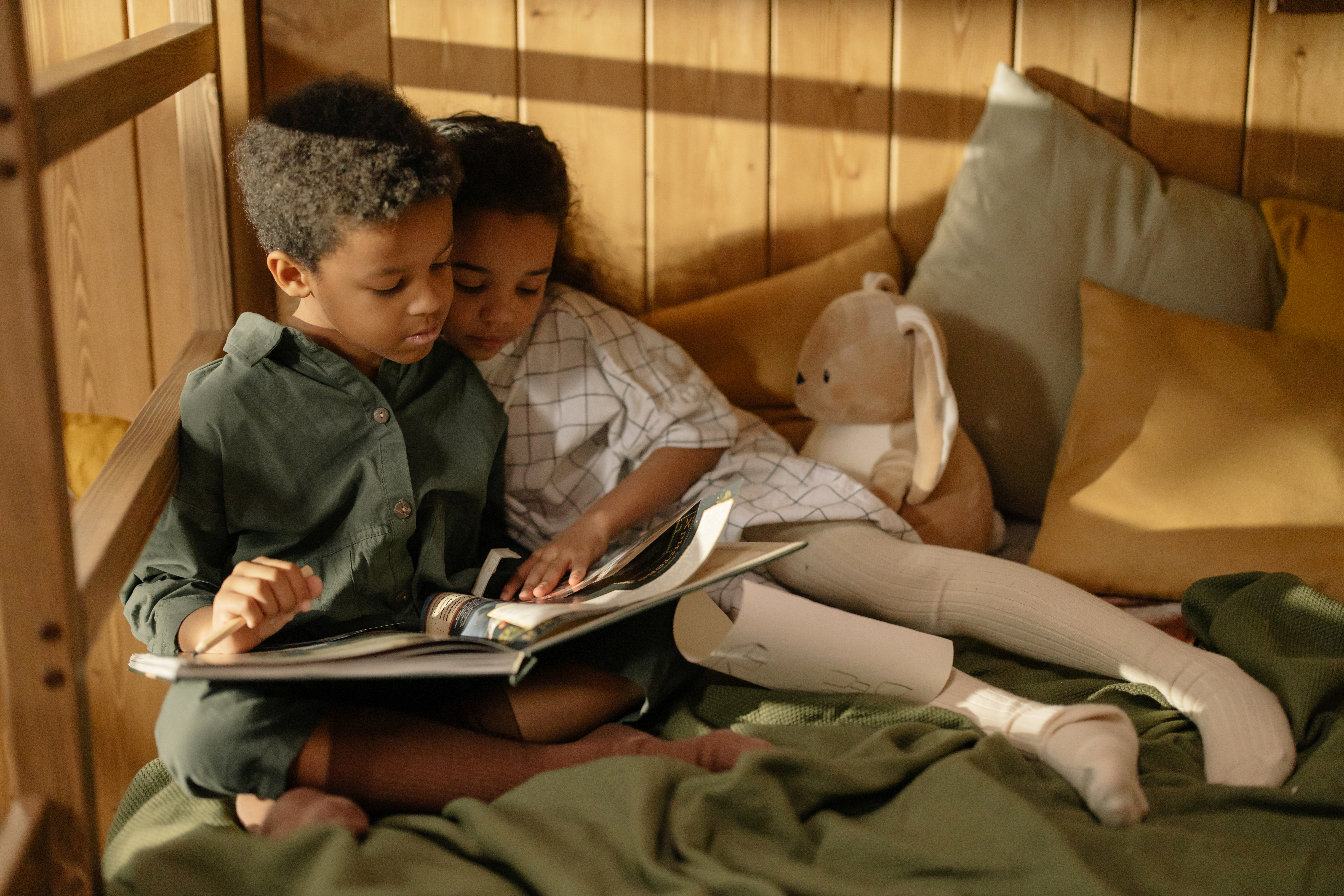
Children reading a children's book. Boy and girl sitting next to a window.

For more than 20 years, the Accelerated Reader (AR) program has been helping kids read children’s books they enjoy, at their own pace. Readers of all levels can choose an AR book, read their way through it, then take a computerized quiz to assess their understanding and sometimes earn class credit. 

Educators across the US use it, and hundreds of thousands of kids across the country read millions of pages every year because of it. If you’re a parent of a child of any age, you’ve probably already heard of AR. 

But if you’re a parent who is looking to contribute more to your child’s reading goals and even help them find new books to read, or if you’re a writer of children’s books looking to keep up with trends, find stories comparable with your own work, or identify the reading level of your work, the Accelerated Reader Bookfinder website can be a great resource. 

This blog aims to provide both parents and kids lit authors an introduction and overview of how to use the AR Bookfinder site. Let’s take a look! 

Accelerated Reader Bookfinder logo for childrens book database
The Accelerated Reader Bookfinder website is a comprehensive database of information about children's books.

Using AR Bookfinder Website

Whether you’re a parent or you write children’s books of any level — from elementary to mid-grade, juvenile, or YA books — use the AR Bookfinder website for basic research. 

Now, when I was a kid participating in Accelerated Reader, there was no website–there was no internet. If I wanted to know what reading level a book was or how many points it was worth, I had to actually go to the library and examine the sticker on the spine of the book or ask the librarian. How times have changed!

Accelerated Reader Bookfinder welcome page for children's books
On the Welcome page, select the “Parent” option to explore AR Bookfinder without creating an account.

When you first land on the AR Bookfinder welcome page, you need to identify yourself as a student, parent, teacher, or librarian. Whether you’re a parent or a writer of children’s books, you can use the “parent” option to browse the website without creating an account.

For Parents: Confirm AR Children's Books, Reading Levels, & Points

Once you have identified yourself as a parent, use the “Quick Search” option to enter a title that your kid is interested in, to confirm whether it is an AR book, what reading level it is, and how many points it’s worth. You can also search an author name to see which of their works are AR eligible.

I’m lucky, personally. My kid is an excellent reader(!), but I have to constantly remind him to collect his AR points and meet his goal to earn the grade for his language arts class. Luckily, most of the books he’s interested in are in the AR Bookfinder database. 

We are sometimes at our favorite local thrift bookstore or the public library, or a friend will offer to let my son borrow a book, and with a quick search, we can find out whether a title he’s interested in is an AR book.

(In fact, one of our favorite books of 2022 — See You in the Cosmos — was one we borrowed from the public library then found out on AR Bookfinder that it was worth 10 points!)

For titles that may have multiple versions in print, it may be important to look more closely at the details of each book on your search results list. Some versions may be abridged, a graphic novel or illustrated version, or an annotated or enhanced version of the book–all of which might affect the reading level and point value. 

AR Bookfinder children's book results list of different versions of Alice in Wonderland
A popular title like “Alice in Wonderland” may have several versions available for your child to enjoy and earn AR points.

Advanced Search Options

If you’re not sure of the title or author name, or if you want to check more details about a book series, use the “Advanced Search” tab for more search options.

AR Bookfinder childrens books advanced search options and menu
Use the AR Bookfinder Advanced Search options to filter specific results.

By using the Advanced Search tab, you can peruse a specific children’s book series to see which titles earn AR points, or you can choose the “Interest Level” (i.e., reading level) to browse titles that might appeal to your child. 

Select from Lower Grade (K-3), Middle Grade (4-8), Middle Grade (6+), and Upper Grades (9-12) to filter a list that meets your child’s unique reading needs.

Use the Additional Criteria options to select a topic that your child is interested in (not just genres, but think of this more similar to tags, like “adventure” or “history”), as well as filter to look at only fiction or nonfiction children’s book titles.

If you have no ideas or starting points for your search, and your kid needs suggestions of children’s books, keep reading! The section below details how to use the “Collections” tab on the AR Bookfinder website to search for new titles, authors, or series your little one may love.

AR Bookfinder Tips For Children's Book Writers

As a new or still-learning children’s book writer, it can be tricky to know exactly what reading level or grade level you’re writing for. These “levels” may differ based on subjective criteria such as word choice, sentence structure, and topic.

Maybe you have an idea for a kid’s book, and you’re not sure who your audience is or exactly what age they are.

Or maybe you’re prepping your query letter and submission info for agents and you need to gather titles of children’s books that are comparable to yours. Either way, using the “Collections” tab in AR Bookfinder can help.

Explore "Collections" for Comps & Reading Level

Writers (and parents!) can use the “Collections” tab to explore two things: recent award-winning children’s books and trending and popular kids books.

AR Bookfinder website showing childrens book writers how to explore the Collections tab.
Use the “Collections” tab to explore award-winning children’s books.

Now, it’s possible that these lists will overlap, but just because something is award winning doesn’t mean it’ll be popular! And just because a title is popular with kids in a certain age group doesn’t mean it was critically acclaimed.

Checking out both options in the Collections tab can give you a full picture of what’s going on in children’s book publishing and how to position your title. 

When you select the Collections, tab you will see these two main options to peruse through the database.

By selecting the “plus sign” next to one of the options, you expand the menu for more specific information.

Under “Awards,” for example, you can find links to specific children’s book award lists, such as the Newberry Medal and the Coretta Scott King Award. 

AR Bookfinder collections show award-winning children's books
Use “Collections” to browse award-winning children’s books.

On the other hand, selecting the plus sign next to “What Kids Are Reading” opens a sub-menu with the three most recent calendar years. Select a year to open the next sub-menu, which says “Top 20 Fiction/Nonfiction Books of [YEAR]”.

When you select this menu, the next sub-menu opens, separating out each grade with a link. You can then explore the top 20 books for kindergarteners, first graders, etc., all the way through high school seniors.

AR Bookfinder children's books top 20 of 2020
Use “Collections” to explore top 20 titles for each grade level in most recent 3 calendar years.

For example, the Top 20 for 11th grade in 2020 includes classic titles such as The Catcher in the Rye and Huckleberry Finn, along with contemporary titles such as Divergent and The Hate U Give

Obviously, many eleventh graders are reading and taking AR quizzes on titles required for a class curriculum, but it’s also obvious that many eleventh graders are continuing to read children’s and YA books in which they’re interested and which are also AR books they can earn points on. 

Track Titles & Reading Goals with Goodreads!

Although the AR Bookfinder website does have a “favorites” feature, which they call the AR Bookbag, that allows you to save a list of titles; however, when using a Parent account, the Bookbag empties/clears its history when you close your web browser. That can be inconvenient for long-term tracking and ideas! 

Instead, our editor Cortni suggests creating a Goodreads account if you don’t already have one (and connect with Cortni on Goodreads!) Using Goodreads’ “shelf” feature, you can easily track all the books you’ve read, the ones you’re currently reading, and ones you want to read. 

Since a Goodreads account will last far beyond your child’s school years, it can be an excellent long-term tool to keep your kid reading far into adulthood. 

And for authors of children’s books, a Goodreads membership and active account can help you connect with your readers and keep them informed of your work and upcoming releases.

Ready to discuss your editing needs? Connect with a children's book editor!

Children's Books Edited by SRD Editing Services

[bookshelf id="1682092572" btn_titles="Titles" btn_icons="" item_width="650" item_height="700" products_box_margin_left="20" product_title_textcolor="#ffffff" product_title_bgcolor="#c33b4e" product_margin="30" product_show_title="true" show_title_in_popup="true" show_selected_title="true" show_icons="false" thumbs_effects="true" buttons_margin="15" buttons_align="center" slide_duration="1000" slide_easing="easeOutQuart" arrow_duration="800" arrow_easing="easeOutQuart" video_width="500" video_height="290" iframe_width="600" iframe_height="430" exclude_products="" orderby="date" order="DESC" shelf_space="medium" skin="skin03" categories="childrens-lit-edited" post_type="bookshelf"]
Posted on 1 Comment

Creative Thinking & Writer’s Block: Oblique Strategies App

writers-block-app

There’s a bunch of apps out there to help you be a better writer. If you’re struggling with writer’s block, you may want to try a few to see what works for you.

May I recommend Oblique Strategies? It’s available for both Android (here) and Apple (here)

This sleek, straightforward app is designed to give you simple food for thought and a new perspective. At times, the quirky or out-of-the-box solutions might help you work through the peskiness of writer’s block. Maybe you’re struggling against a thorny plot point, maybe it’s some problem of character motivation, maybe it’s the general inability to string words together cohesively.

The Oblique Strategies app sort of reminds me of a Magic 8 ball. If you become frustrated, stop and open the app. Think of a question that encapsulates your current struggle. Swipe to see what happens.

As you scroll, (you can go either left or right), the randomized cards present you with single sentences that may come in from an angle you weren’t expecting.

I suggest you cut yourself off after three swipes. Of course, the first solutions might not be realistic for whatever reason. So try again, a couple of times. Then, stop yourself. It’s too easy to keep chasing the suggestion you want to hear instead of pushing yourself to try something new. After three swipes, choose one of the ideas or strategies presented to you and execute it to see how it affects your writer’s block. 

You may not prefer or like or have ever done the suggestions before, but that’s the idea! Push yourself from your comfort zone, because your comfort zone has given you this writer’s block. Get out from under it. Don’t be blocked. A different perspective or a new strategy is often the only way to find a solution.

Developmental Editing/Book Coaching to Break out of Writer’s Block

If you regularly struggle with writer’s block and are looking for a long-term solution, working with an SRD Editing Services editor for a developmental edit or book coaching might be just the thing. 

Posted on 1 Comment

Apps to Make You a Better Writer

apps-better-write

Writer Apps Beyond Note Taking

If you’re a writer, you probably already have your favorite note taking apps or apps to help you manage your writing process. I’m not talking about those.

I’m talking about apps that, if you’re a day-in-and-day-out, I-work-with-words-every-moment-I’m-awake kind of writer, should improve your daily life.

** Note: these reviews are neither paid nor solicited and are my honest opinions after using these apps for at least one year each. I am not affiliated with the developers or anyone affiliated with them.

Writer App No. 1: Desk Stretch

I have carpal tunnel. It’s a constant thing. I wake up in pain, and I go to bed in pain, and I just try to manage it every moment between.

Desk Stretch helps me do that. Choose from a series of wrist and hand stretches, set a time interval, and let the app help ease the pain in your day. Every so often (I set mine for an hour), you’ll get a notification reminding you to break for 5 minutes. Then, the app leads you through the stretches, which can greatly reduce the tension that builds up throughout the day.

I used to have an app called “Handsaver” that was even better, but I can’t find it in the app store anymore. Moment of silence.

On Google Play

Writer App No. 2: Etymology Explorer

Why do we raise cows but eat beef? And we raise sheep but prepare mutton. But then, Why are fish and goat the same words for both the meat and the animal?

English is weird. Very weird sometimes. And, appropriately, it’s considered the most difficult language to learn, next to Mandarin.

Sometimes, as a writer, it can be helpful to look up the root origins of words. Because English is a Germanic language heavily influenced by French (which is Romantic – coming from ancient Roman, aka Latin) as well as the many localized languages absorbed around the world through trade and colonialism.

Consider: pyjamas is a Turkish word. But most English speakers never think where the words for their pjs came from. Of course, pjs aren’t the same as lingerie, which is a French word with different context. Although, if you were a non-native speaker, you might think, “Well. They both mean ‘sleep clothes’, right?”

Etymology Explorer is a writer app that helps you find out where words come from, and how they might be related to other words. Connections between pieces of language tell their own stories, and a picky writer learns how to choose words to layer storytelling into each sentence.

On Google Play

On iTunes

Writer App No. 3: Power Thesaurus

If you’ve written or edited more than a few hundred pages, you will have noticed the shortcomings of thesaurus.com.

Don’t get me wrong. It works fine most of the time. But maybe you’re looking for that $5 word, that esoteric, academic word; or maybe you’ve got a phrase that describes something, and you know there’s a single word for it, but you just can’t think of it; or maybe, you’ve got the feeling of the word you want, but nothing is quite hitting home.

(Is it just me? Am I the only person who battles the thesaurus this way? 🤯)

Power Thesaurus is a better app for writers. Especially if you have the time. As an open source software, it has its drawbacks, but overall it’s user friendly and never fails to provide hundreds of options for whatever you type in. The results are alphabetical, which can help you stumble across that “aha” moment if you have the time and patience to scroll through hundreds of synonyms in alphabetical order. (Beware of chasing the dragon: “the perfect one will be on the next page…”)

It also has an antonyms listing, and it’s easy to glide from one concept to the next.

On Google Play

On Apple Store

Writer App No. 4: Orphic

Orphic means fascinating or entrancing. And it is. This app is full of weird and wonderful words. What more can you ask for? This app offers a Word of the Day that is truly off the wall and an easy accessibility to search for quirky, elusively rare, and overly precise words. Say no more.

On Google Play

Boost Writing Power, Boost Productivity

The golden state of productivity is a daily dream. A humming moment of focus, when the muse sits on your shoulder and the words appear on the page with very little effort. It’s sublime.

I hope these suggestions of apps for writers can help you get there.

Editing makes me happy.

Need editing?